
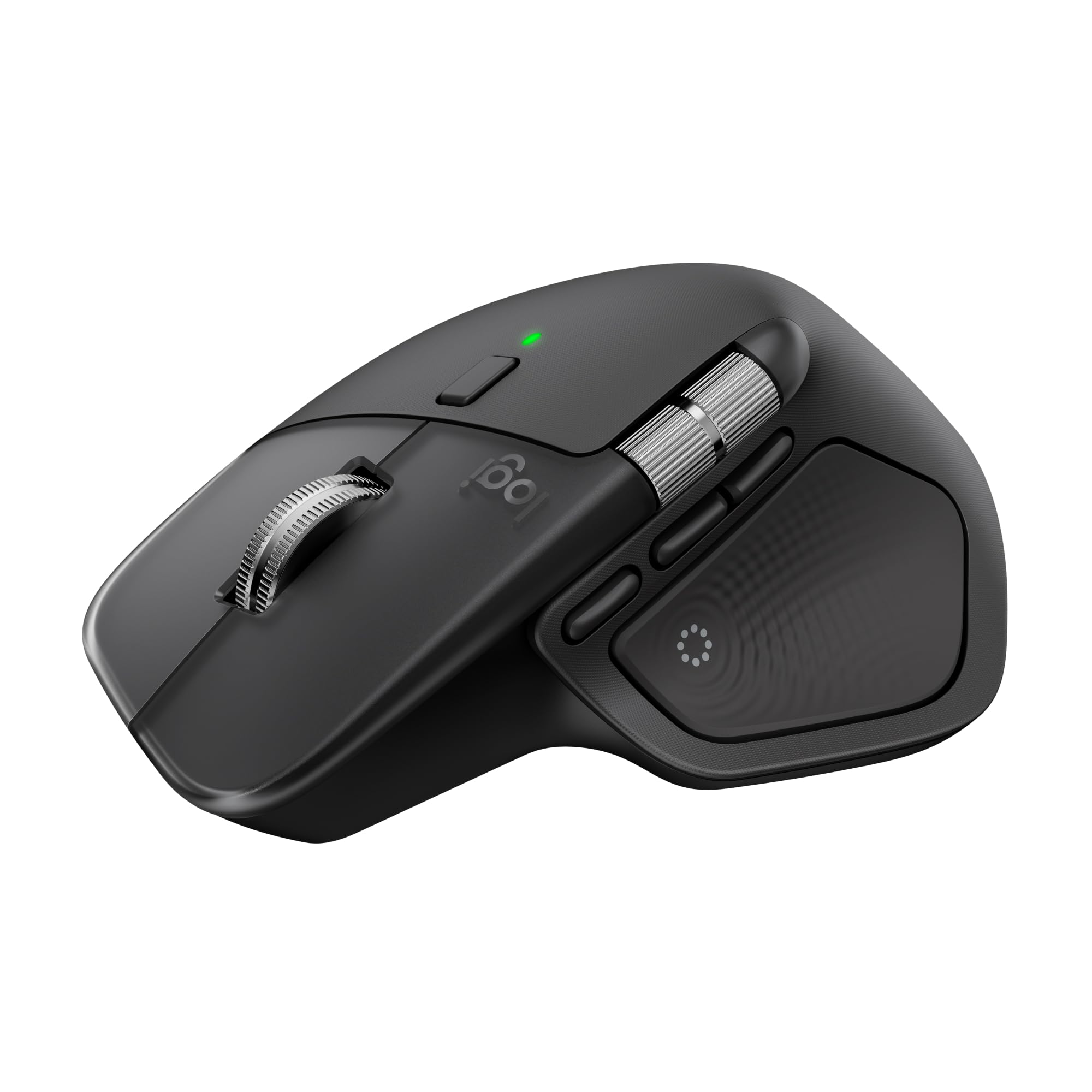
Logitech MX Master 4 Wireless Mouse
The Logitech MX Master 4 is a 150 g wireless mouse with Bluetooth Low Energy, a Darkfield high-precision sensor, USB-C charging, haptic feedback, and ultra-fast scrolling. It is desk gear for people whose cursor has somehow acquired a more demanding calendar than they do.
StuffYouMayWant is an editorial curation site. We may earn from qualifying purchases via affiliate links, at no extra cost to you.
At a glance
One-line verdict
This wireless mouse brings haptics, ultra-fast scrolling, and a 70-day listed battery life to the desk, provided 150 g is not more mouse than your wrist invited.
Best for
People building a considered Windows or macOS desk setup who want a rechargeable Bluetooth mouse with haptic feedback and a listed 70-day battery life.
Skip it if
Skip it if a 150 g mouse sounds like unnecessary ballast for your bag or your wrist.
The full picture
A mouse is easy to ignore until the one on your desk starts behaving like a tiny plastic tax on every task: cables where cables should not be, battery warnings during a deadline, and scrolling that turns a long document into a personal feud. The Logitech MX Master 4 is aimed at the people who have reached the slightly ridiculous but entirely understandable point of caring about their mouse.
We picked it because its feature list addresses the real desk-setup details rather than trying to make a pointer sound like a spacecraft. Bluetooth Low Energy handles the wireless connection, USB-C handles charging, and the included USB-C dongle gives the box a practical starting point. Windows and macOS are both named in the validated listing, which is welcome in households where one laptop has opinions about everything.
There is also more going on here than a standard cursor-and-click arrangement. Logitech lists haptic feedback and ultra-fast scrolling, while the Darkfield high-precision sensor covers a 200 to 8,000 DPI range. Those are concrete features, not an excuse to declare administrative work spiritually fulfilling; spreadsheets remain spreadsheets, regrettably.
The trade-off is refreshingly visible: this is a 150 g mouse measuring 128.15 mm high, 88.35 mm wide, and 50.8 mm deep. That may suit a settled desk, but it is not automatically the quiet minimalist answer for every overpacked commute bag. With a listed 70-day rechargeable battery life, though, it makes a strong case for being the intentional mouse in a setup rather than the one that merely happened to be nearby.
The Irresistible
- Haptic feedback and ultra-fast scrolling are both listed features, giving the MX Master 4 a more elaborate brief than the usual basic wireless mouse.
- Its rechargeable 650 mAh battery is listed for up to 70 days, a pleasingly long interval between charging-related drama.
The Clever Part
- Bluetooth Low Energy provides the wireless connection, and the box also includes a USB-C dongle.
- The Darkfield high-precision sensor has a 200 to 8,000 DPI range.
- Windows and macOS compatibility are both named, making it sensible for mixed-computer desks.
The Fine Print
- At 150 g, it is a substantial mouse; that is a deliberate desk accessory, not necessarily a forget-it-is-there travel companion.
The Reality Check
- The 128.15 mm by 88.35 mm by 50.8 mm body and 150 g weight make this a poor fit for anyone specifically trying to keep their daily bag light.
Buyer questions answered
Is the Logitech MX Master 4 ergonomic?
Yes. The validated listing describes the Logitech MX Master 4 as an ergonomic wireless mouse.
Does the Logitech MX Master 4 have haptic feedback?
Yes. The validated listing includes advanced performance haptic feedback among the MX Master 4's features.
How fast is scrolling on the Logitech MX Master 4?
The validated listing describes the MX Master 4 scrolling as ultra-fast. No numerical scrolling speed is supplied, so this is one feature where the marketing adjective must do the heavy lifting.
How does the Logitech MX Master 4 charge?
The Logitech MX Master 4 charges via USB-C. Its box includes the mouse, a USB-C dongle, and user documentation.
Does the Logitech MX Master 4 work with Bluetooth?
Yes. The Logitech MX Master 4 uses Bluetooth Low Energy for its wireless connection.
Is the Logitech MX Master 4 compatible with Windows and macOS?
Yes. The validated listing names both Windows and macOS compatibility.
Inside this drop
More from Vol. 01

Ooni Karu 12 Outdoor Pizza Oven
The first-generation Ooni Karu 12 is a 12-inch multi-fuel outdoor pizza oven with a 15 mm cordierite stone, a stated maximum of 950°F (500°C), and pizza cooking in as little as 60 seconds. It is for people who decided an ordinary patio dinner needed a tiny, fiery subplot.
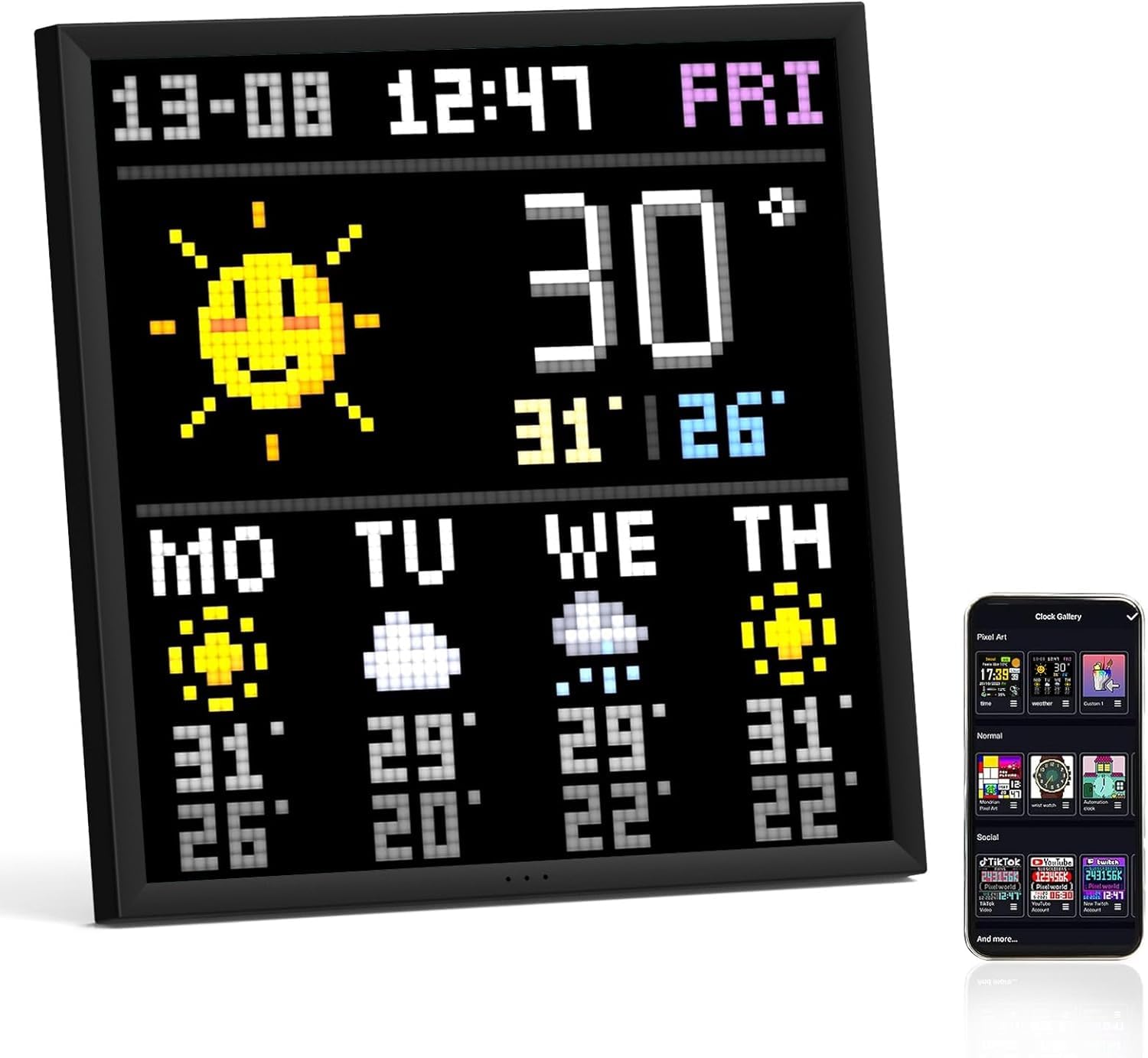
Divoom Pixoo-64 Pixel Art Display
The Divoom Pixoo-64 is a 10.3-inch WiFi pixel art display with a 64x64 LED panel, perfect for showcasing your pixel art creations. It connects easily via USB-C and operates on 2.4GHz WiFi, making it a quirky yet functional addition to your décor.

Owala FreeSip Water Bottle
The Owala FreeSip is an insulated stainless steel water bottle featuring a clever FreeSip spout that lets you sip or tilt for easy drinking. Whether at the gym or during a commute, this practical bottle tackles hydration head-on, even if it looks like a sippy cup for grown-ups.
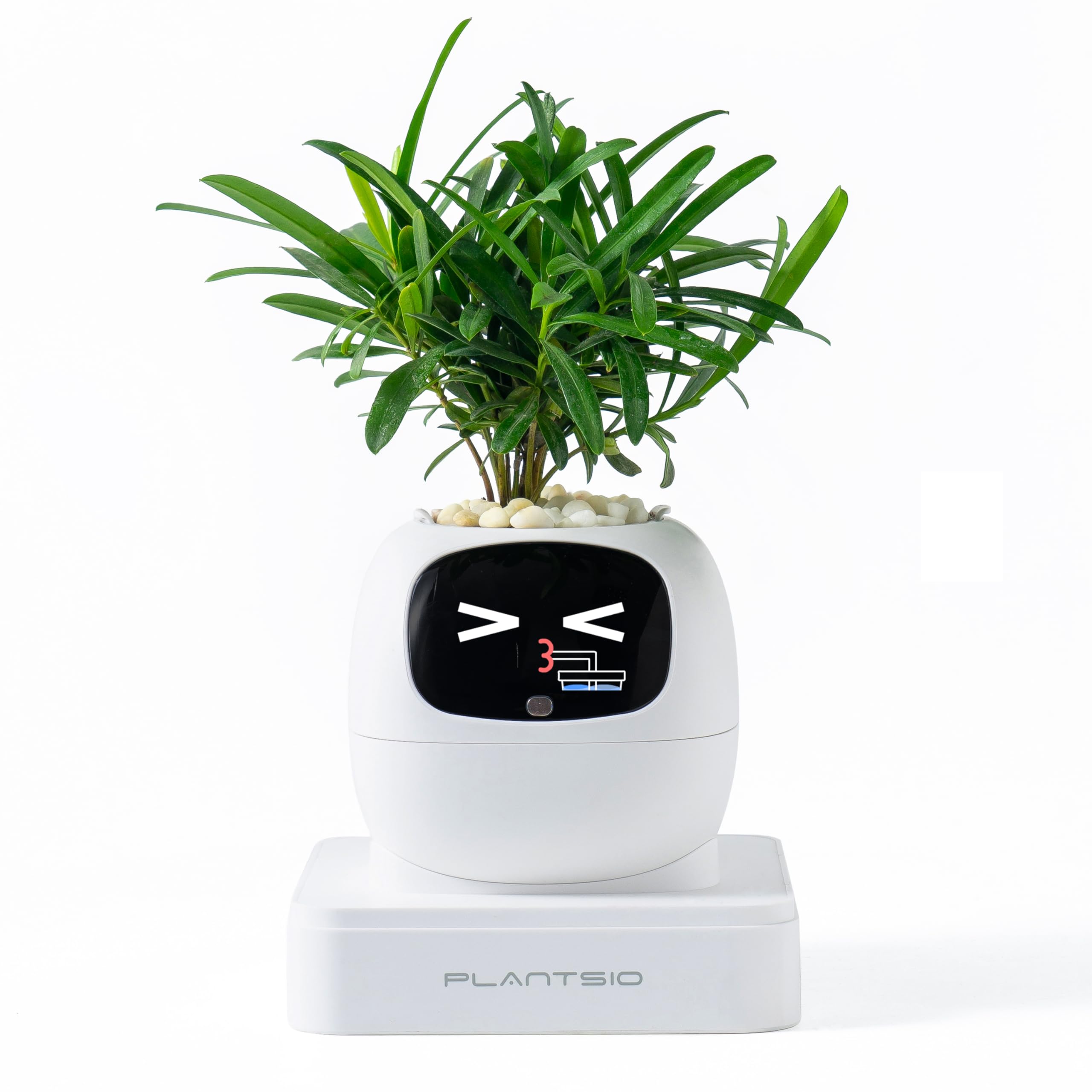
PlantsIO Smart Pet Planter
The PlantsIO Smart Pet Planter is a visual-display plant pot that monitors soil moisture, water level, light, and battery status. It also includes an 80 mL self-watering reservoir, plant support for more than 100 plants, and clock, calendar, and Pomodoro functions—because apparently your fern now has better desk manners than most colleagues.
Keep browsing
More Workspace finds you may want

BenQ ScreenBar Halo 2 Monitor Light Bar
The BenQ ScreenBar Halo 2 is a USB-powered LED monitor light bar with a wireless controller, backlight, motion sensor, adjustable brightness and colour temperature, and curved-monitor fit. It addresses the small but persistent tragedy of a desk that is tidy everywhere except visually.

SIHOO Doro S300 Ergonomic Office Chair
The SIHOO Doro S300 is an ergonomic office chair with dual dynamic lumbar support, 6D coordinated armrests, and a rolling base. It addresses the modern desk problem of needing a chair to cope with spreadsheets at nine and a supposedly casual game at midnight.

novium Hoverpen Interstellar Edition Ballpoint Pen
The novium Hoverpen Interstellar Edition is an aluminium ballpoint pen that rests at a 23.5-degree angle above its zinc-alloy pedestal using magnetism, with no batteries or cables involved. It is desk stationery for people whose paperwork apparently needs a small orbiting object nearby.

Keychron K2 HE Wireless Keyboard
The Keychron K2 HE is a 75% wireless keyboard with magnetic switches, adjustable actuation, Rapid Trigger, and 2.4 GHz, Bluetooth, or USB-C connectivity. It is for people who have decided an ordinary keypress needs a settings menu—which, frankly, can be rather useful.