
Better Coffee, Brighter Workdays and Pets in View | Vol. 14
Five editorially chosen picks: one hero, three supporting acts, and one wildcard. This drop is designed to be browsed as a full collection, not just a pile of affiliate links.
Hero Pick
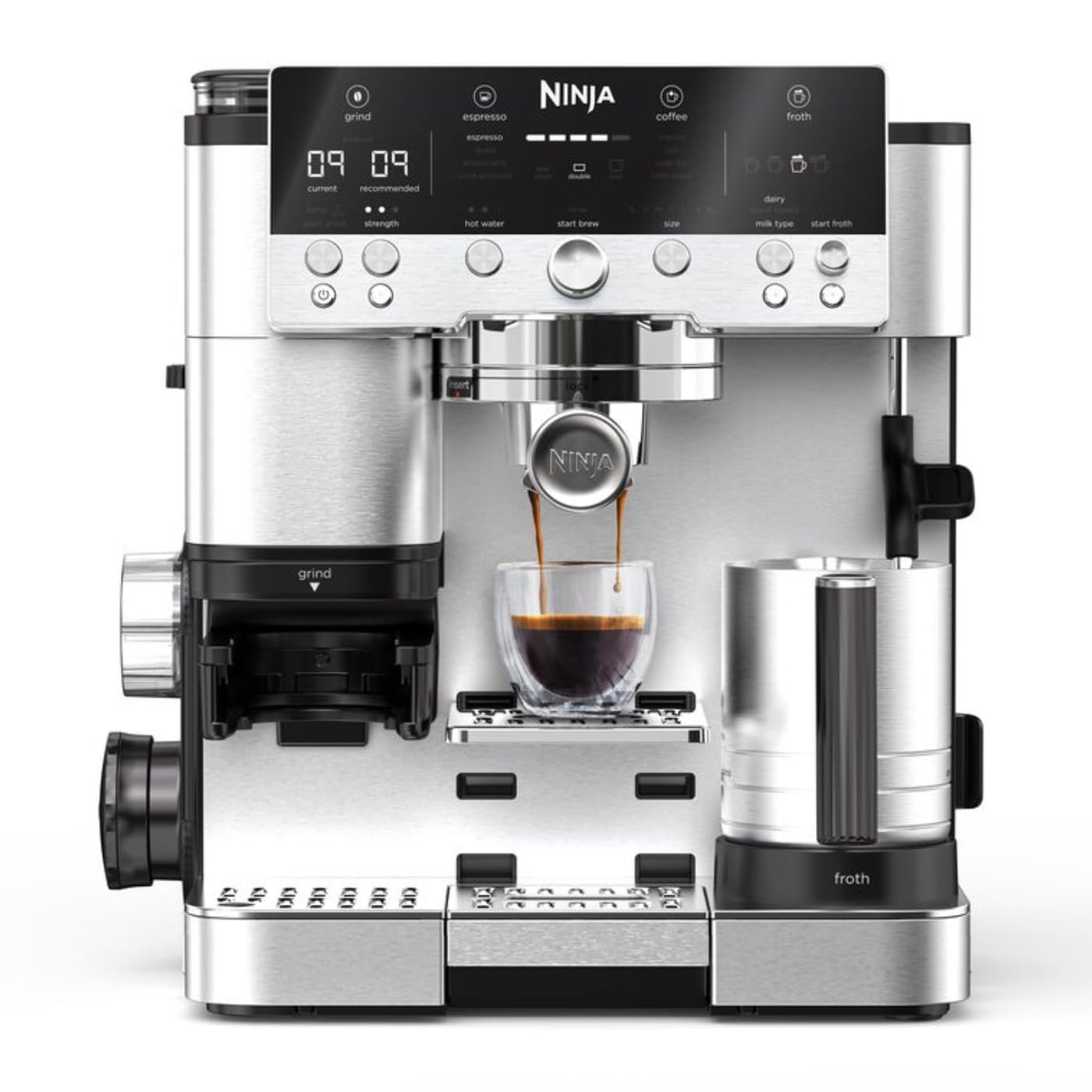
Ninja Luxe Café Premier Espresso Machine
The Ninja Luxe Café Premier is a 3-in-1 coffee machine for espresso, drip coffee and cold brew, with a built-in bean grinder, assisted tamper and hands-free milk frother. It is aimed at the kitchen that has somehow become a tiny café counter between Tuesday meetings.
At a glance
Everything in this drop
Ninja Luxe Café Premier Espresso Machine
The Ninja Luxe Café Premier is a 3-in-1 coffee machine for espresso, drip coffee and cold brew, with a built-in bean grinder, assisted tamper and hands-free milk frother. It is aimed at the kitchen that has somehow become a tiny café counter between Tuesday meetings.
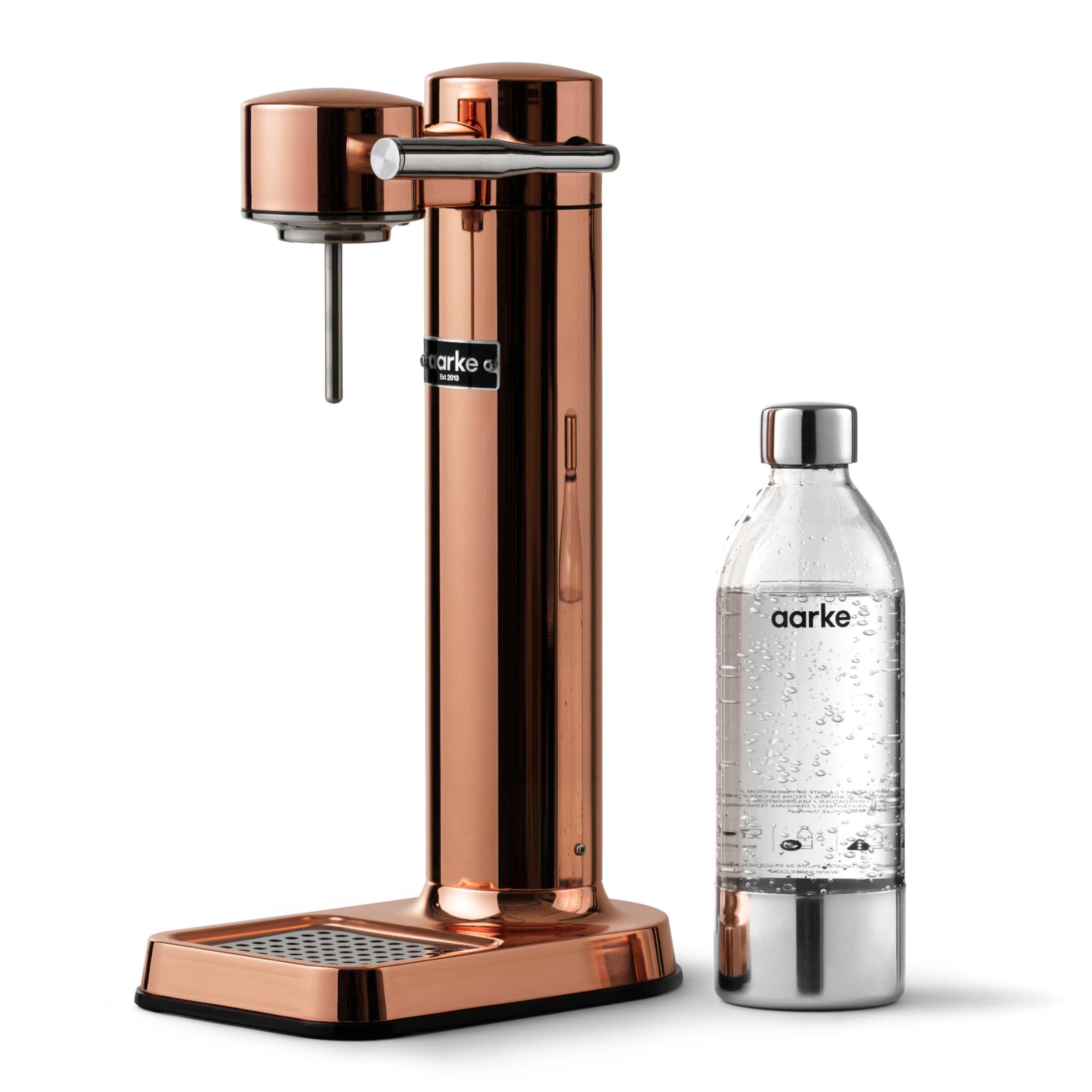
Aarke Carbonator 3 Copper Sparkling Water Maker
The Aarke Carbonator 3 Copper is a stylish and compact sparkling water maker designed to elevate your hydration game. With its stainless-steel finish and cordless functionality, it’s perfect for modern kitchens that value both aesthetics and utility.

Keychron K2 HE Wireless Keyboard
The Keychron K2 HE is a 75% wireless keyboard with magnetic switches, adjustable actuation, Rapid Trigger, and 2.4 GHz, Bluetooth, or USB-C connectivity. It is for people who have decided an ordinary keypress needs a settings menu—which, frankly, can be rather useful.

Furbo 360° Cat Camera
The Furbo 360° Cat Camera is a rotating cat camera with a treat tosser, feather wand, two-way audio, meow alerts and night vision. Its 270-degree physical rotation creates a 360-degree wide-angle view: a tiny surveillance tower for the household’s least cooperative roommate.
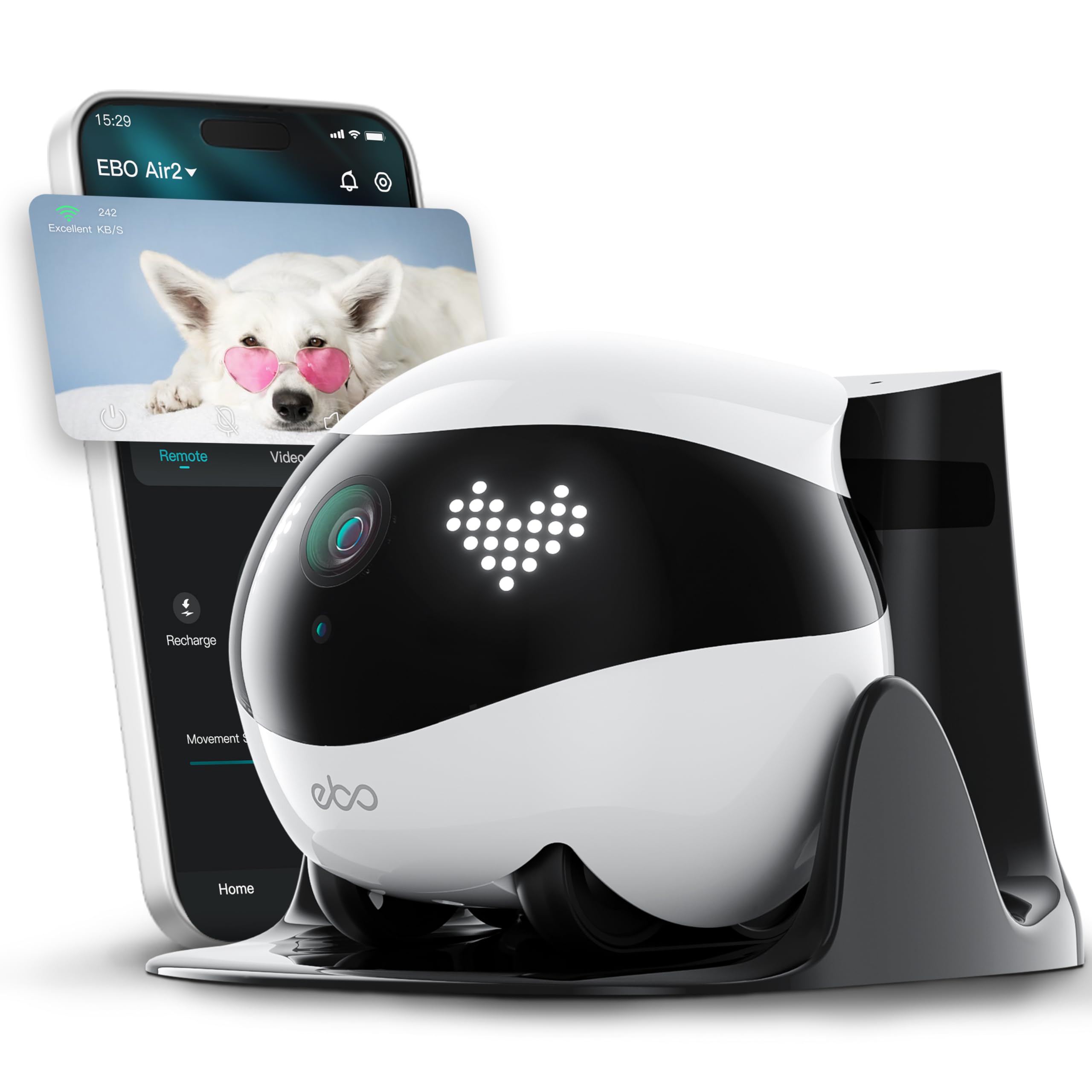
Enabot EBO Air 2 FamilyBot Mobile Home Camera
The Enabot EBO Air 2 FamilyBot is a mobile indoor camera with 2K recording, a 137° viewing angle, two-way talk, night vision, and auto-recharge. It also includes a pre-installed 32 GB SD card—because apparently even household surveillance now arrives with its own tiny filing cabinet.
Deep dive
Why each pick earned its place
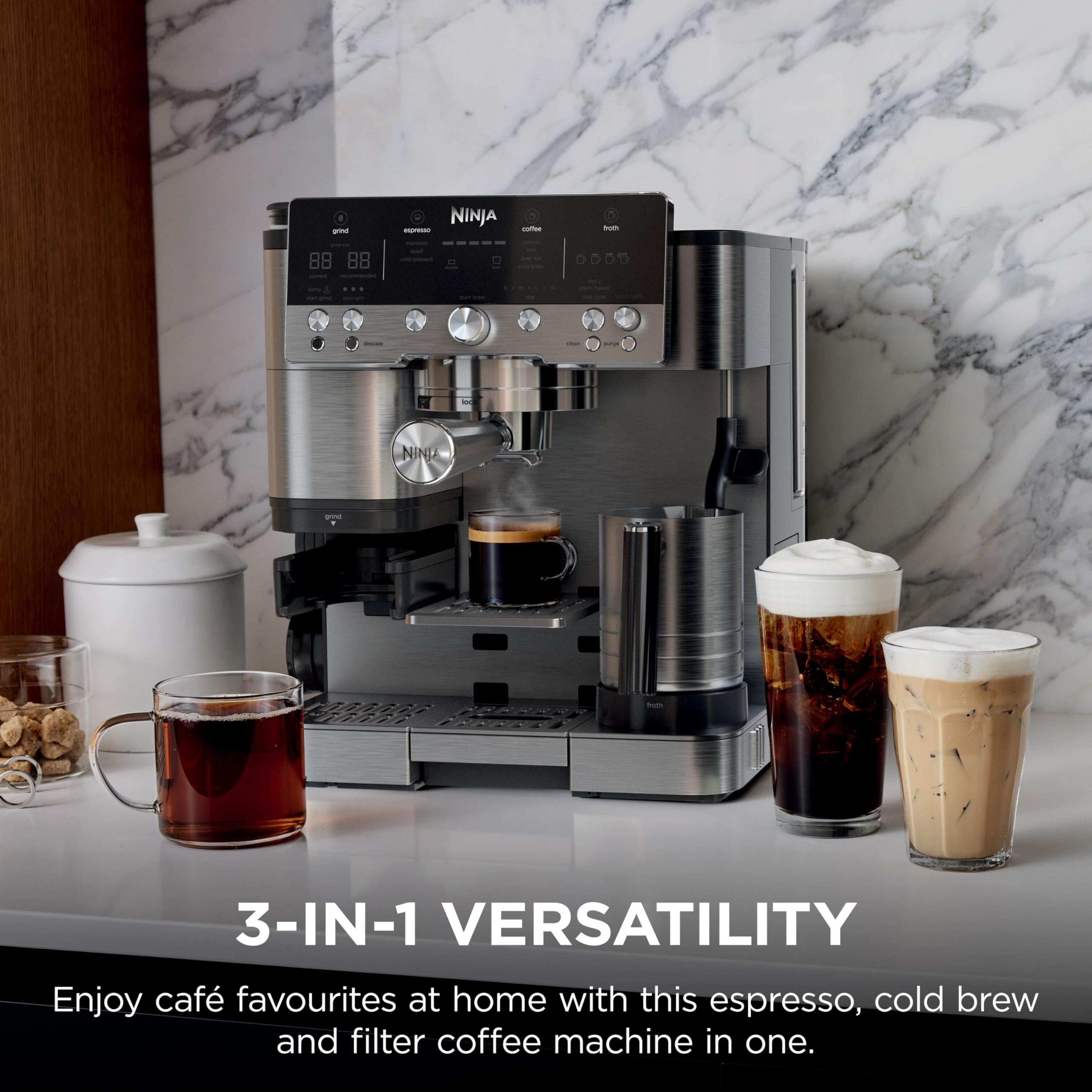


Ninja Luxe Café Premier Espresso Machine
The Ninja Luxe Café Premier is a 3-in-1 coffee machine for espresso, drip coffee and cold brew, with a built-in bean grinder, assisted tamper and hands-free milk frother. It is aimed at the kitchen that has somehow become a tiny café counter between Tuesday meetings.
Editorial rating
4 / 5
At a glance
One-line verdict
This 3-in-1 espresso machine covers espresso, drip and cold brew with latte-friendly extras, though it is gloriously excessive for someone who only wants one plain coffee.
Best for
Best for households that want espresso, drip coffee, cold brew, lattes and cappuccinos from one deliberately overqualified coffee machine.
Skip it if
Skip it if your coffee routine begins and ends with a basic black drip coffee; this machine has far more on its résumé than you need.
The full picture
The Ninja Luxe Café Premier is for the household whose coffee preferences have stopped behaving like a shared domestic arrangement. One person wants espresso, another wants drip coffee, someone else has discovered cold brew, and suddenly the kitchen is one appliance short of issuing loyalty cards.
We think this is the sensible kind of excessive: a 3-in-1 machine that brings espresso, drip coffee and cold brew under one stainless-steel roof. The built-in grinder keeps the bean-to-cup setup together, while the assisted tamper and hands-free milk frother acknowledge that a café-style drink can become a mildly ridiculous sequence of tiny jobs before 8 a.m.
The appeal is breadth with some guardrails. Four automated froth presets give latte and cappuccino drinkers a defined route rather than an invitation to improvise with hot milk. That makes the Ninja Luxe Café Premier a strong answer to the question of whether it is worth buying: yes, when several coffee styles genuinely appear in your routine and you want one machine to cover them.
It is not a modest coffee maker, and we would not curate it as one. Its case rests on wanting the range: espresso when the day needs drama, drip coffee when nobody has time for drama, and cold brew when summer arrives and every beverage develops an ice-cube budget.
The Irresistible
- Three coffee formats—espresso, drip coffee and cold brew—are combined in one machine.
- A built-in bean grinder, assisted tamper and hands-free milk frother gather the main café-drink steps into the same setup.
The Clever Part
- Four automated froth presets give latte and cappuccino making a more defined process.
- The listed machine is designed for espresso drinks as well as straightforward drip coffee, which is useful when one kitchen contains several levels of coffee seriousness.
The Fine Print
- The same wide-ranging setup is hard to justify for a household that only makes one style of coffee and has no interest in milk drinks or cold brew.
The Reality Check
- This is a poor fit for minimalists seeking a simple, single-purpose drip coffee maker; its value depends on actually using its espresso, milk-frothing or cold-brew functions.
Buyer questions answered
What drinks can the Ninja Luxe Café Premier make?
The Ninja Luxe Café Premier makes espresso, drip coffee and cold brew, and its milk frother supports lattes and cappuccinos. That is a suspiciously capable lineup for a machine expected to coexist with toast crumbs.
Does the Ninja Luxe Café Premier have a built-in coffee grinder?
Yes, the Ninja Luxe Café Premier has a built-in bean grinder. Beans need not become another appliance purchase with nowhere sensible to live.
Does the Ninja Luxe Café Premier make cold brew?
Yes, the Ninja Luxe Café Premier makes cold brew. The listed model also describes this as rapid cold brew.
Does the Ninja Luxe Café Premier make lattes and cappuccinos?
Yes, the Ninja Luxe Café Premier is listed for lattes and cappuccinos and includes a hands-free milk frother with four automated froth presets. Milk texture has apparently joined the list of things a weekday morning can delegate.
Aarke Carbonator 3 Copper Sparkling Water Maker
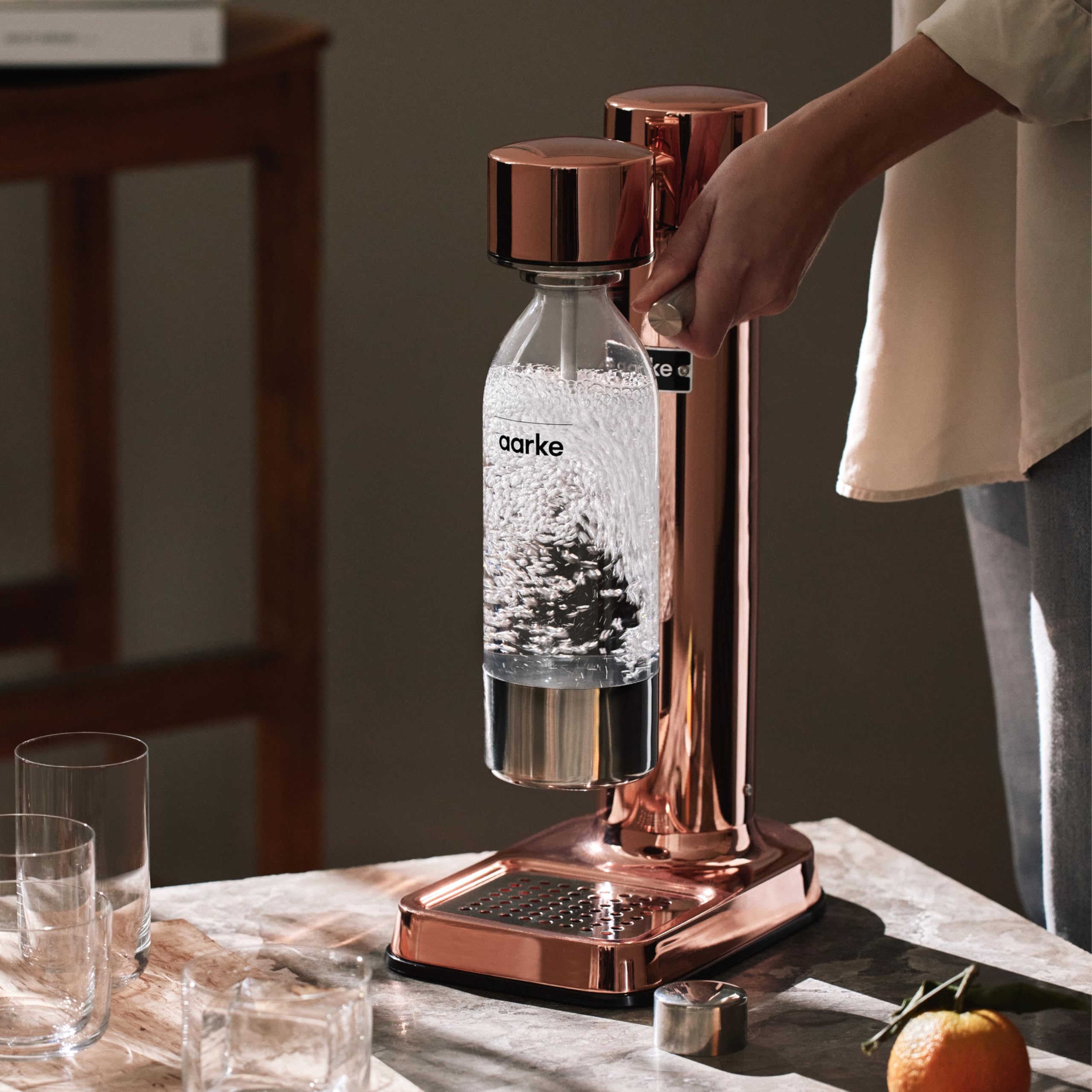
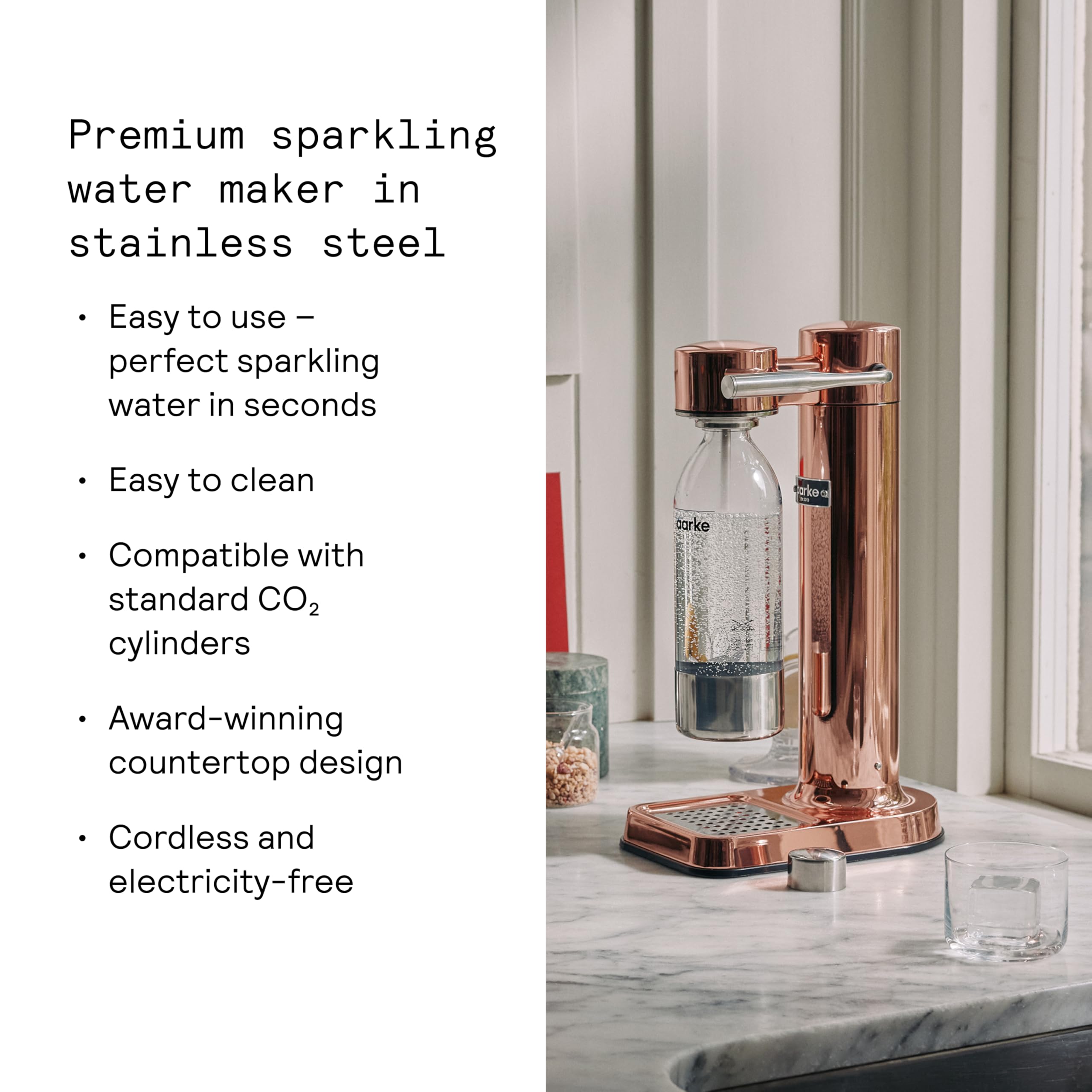
The Aarke Carbonator 3 Copper is a stylish and compact sparkling water maker designed to elevate your hydration game. With its stainless-steel finish and cordless functionality, it’s perfect for modern kitchens that value both aesthetics and utility.
Editorial rating
4.5 / 5
At a glance
One-line verdict
This sleek sparkling water maker is a step up from your average fizz dispenser, with a trade-off in initial setup versus long-term savviness.
Best for
Anyone looking to enjoy fresh sparkling water without the clutter of bottles in their fridge.
Skip it if
You prefer grabbing a bottle on the go rather than a countertop appliance for fizziness.
The full picture
In a world where hydration often feels like a chore, the Aarke Carbonator 3 Copper emerges as a chic antidote to the mundane task of drinking water. This isn't just another kitchen gadget; it's a statement piece that transforms your countertop into a carbonation station, ready to sparkle up your hydration routine while looking like it belongs in a high-end café. Who knew making fizzy water could be this stylish and engaging?
Remember those days of dragging home bottles of sparkling water only to watch them take over your fridge? With the Carbonator 3, you can pour a glass of bubbly bliss without cluttering your space. Its stainless-steel craftsmanship doesn’t just look good; it sways you to ditch those plastic bottles for good. Perfect for your Saturday brunch with the crew or a fancy mocktail night at home, this gadget insists on playful hydration at any hour.
Of course, you’ll need to navigate the setup and think about where to stash your CO2 cylinders, but fear not! It’s a small price to pay for the luxury of customizing your fizz. No more lifeless tap water—just vibrant, bubbly refreshment whenever you desire. Get ready to impress your guests or simply treat yourself—it’s fizz time, and this little carbonator is here to stay!
The Irresistible
- Striking copper finish that adds a touch of elegance to your kitchen.
- Cordless design means you can place it wherever you fancy, no outlet needed.
- Compatible with standard CO2 cylinders, making replacement a breeze.
- Encourages a sustainable lifestyle by reducing the need for bottled water.
The Clever Part
- Lightweight and compact, fit for small kitchens or even your camping gear.
- BPA-free bottle keeps your drinks safe and tastier.
- Quick carbonation process means you won't be waiting long for your fizz.
The Fine Print
- Initial setup can be slightly tedious for the uninitiated.
- The need for CO2 cylinders can be a hassle for some.
The Reality Check
- Requires storage for CO2 cylinders, which can add to your countertop clutter.
Buyer questions answered
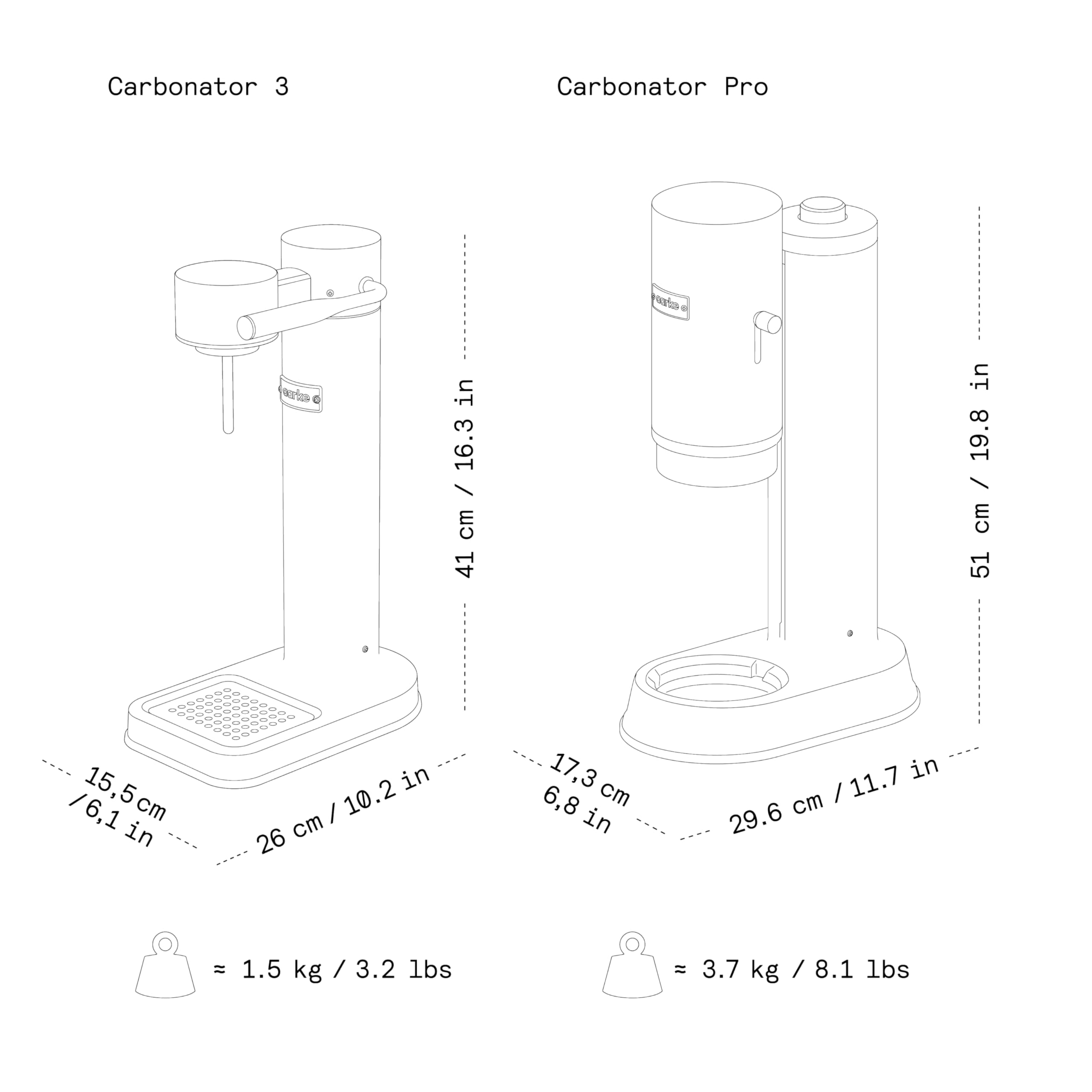
What are the dimensions and weight of the Aarke Carbonator 3 Copper?
The Aarke Carbonator 3 Copper measures 41 x 15.5 x 26 cm and weighs 1.5 kg.
What items are included in the box with the Aarke Carbonator 3 Copper?
The box includes the Carbonator 3, a BPA-free PET water bottle, a stainless-steel drip tray cover, an extra gasket, an instructions manual, and an Aarke cleaning cloth.
What is the material of the Aarke Carbonator 3 Copper?
The Aarke Carbonator 3 Copper features a stainless-steel body with a Copper finish.
What is the volume of the BPA-free PET bottle included?
The included PET water bottle has a volume of 1 L, with a marked filling line for 800 ml.
What type of CO2 cylinders does the Carbonator 3 Copper use?
The Carbonator 3 Copper is compatible with standard 400-425 g / 60 L CO2 cylinders, excluding Sodastream Quick Connect.
Keychron K2 HE Wireless Keyboard
The Keychron K2 HE is a 75% wireless keyboard with magnetic switches, adjustable actuation, Rapid Trigger, and 2.4 GHz, Bluetooth, or USB-C connectivity. It is for people who have decided an ordinary keypress needs a settings menu—which, frankly, can be rather useful.
Editorial rating
4 / 5
At a glance
One-line verdict
This 75% magnetic wireless keyboard gives keypress obsessives remarkable control, provided they can live inside Keychron’s very particular switch ecosystem.
Best for
Mac, Windows, or Linux users who want a compact multi-device keyboard and genuinely intend to adjust actuation settings rather than merely admire them.
Skip it if
Skip it if you want broad magnetic-switch compatibility or a keyboard whose deepest setting is simply “caps lock on.”
The full picture
A normal keyboard asks only that you press a key and carry on with your day. The Keychron K2 HE has other ideas. Its magnetic switches let you adjust when a key actuates, add Rapid Trigger, and assign four-in-one Dynamic Keystrokes—because apparently the humble letter A now requires a small constitutional framework.
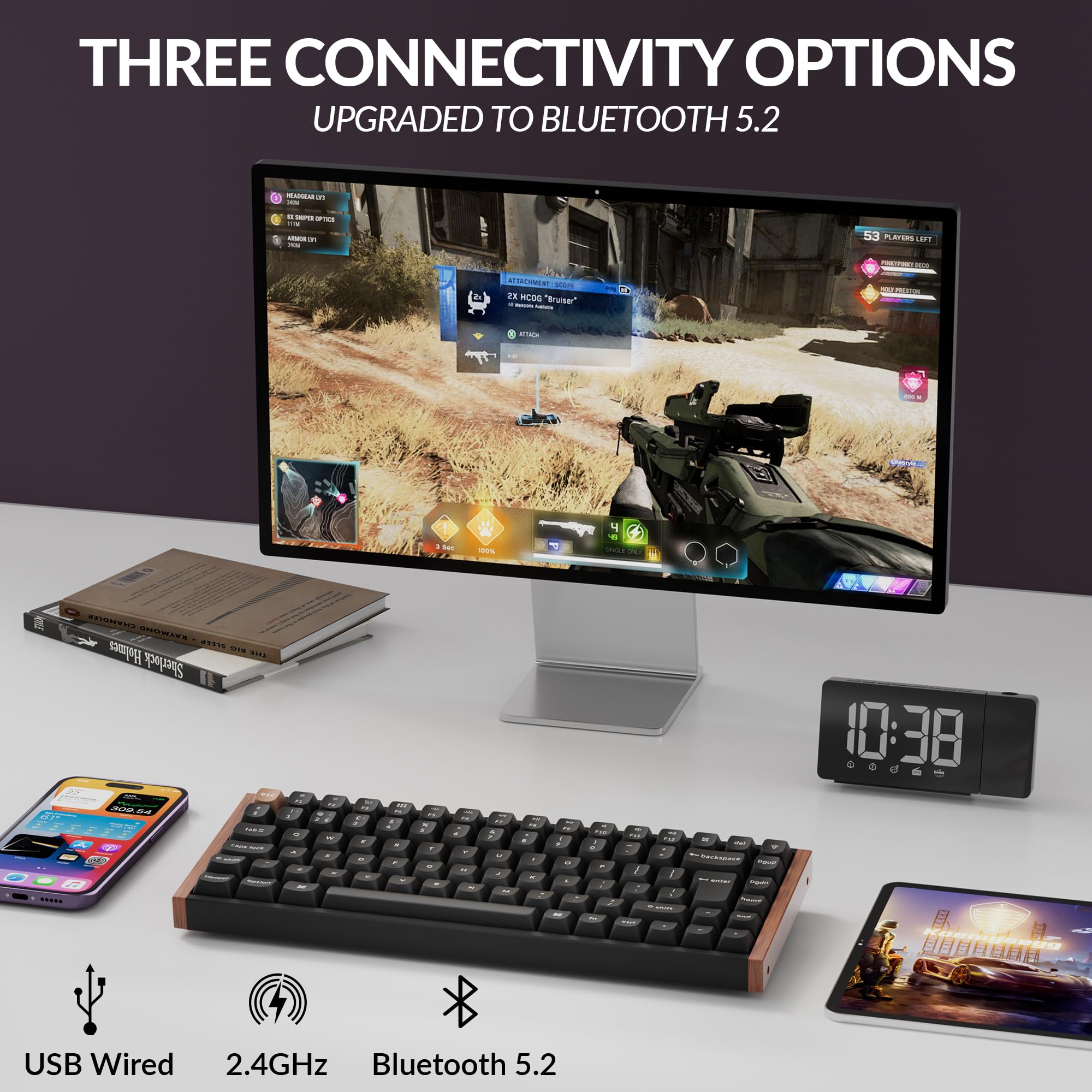
That level of control can be gloriously useful, rather than merely elaborate desk cosplay. The K2 HE keeps a 75% layout, so it preserves a compact footprint while retaining the keys many people miss when a board becomes too minimalist. It also covers the boring-but-important reality of moving between work machines: Bluetooth 5.2 for up to three devices, 2.4 GHz wireless, and USB-C wired use.
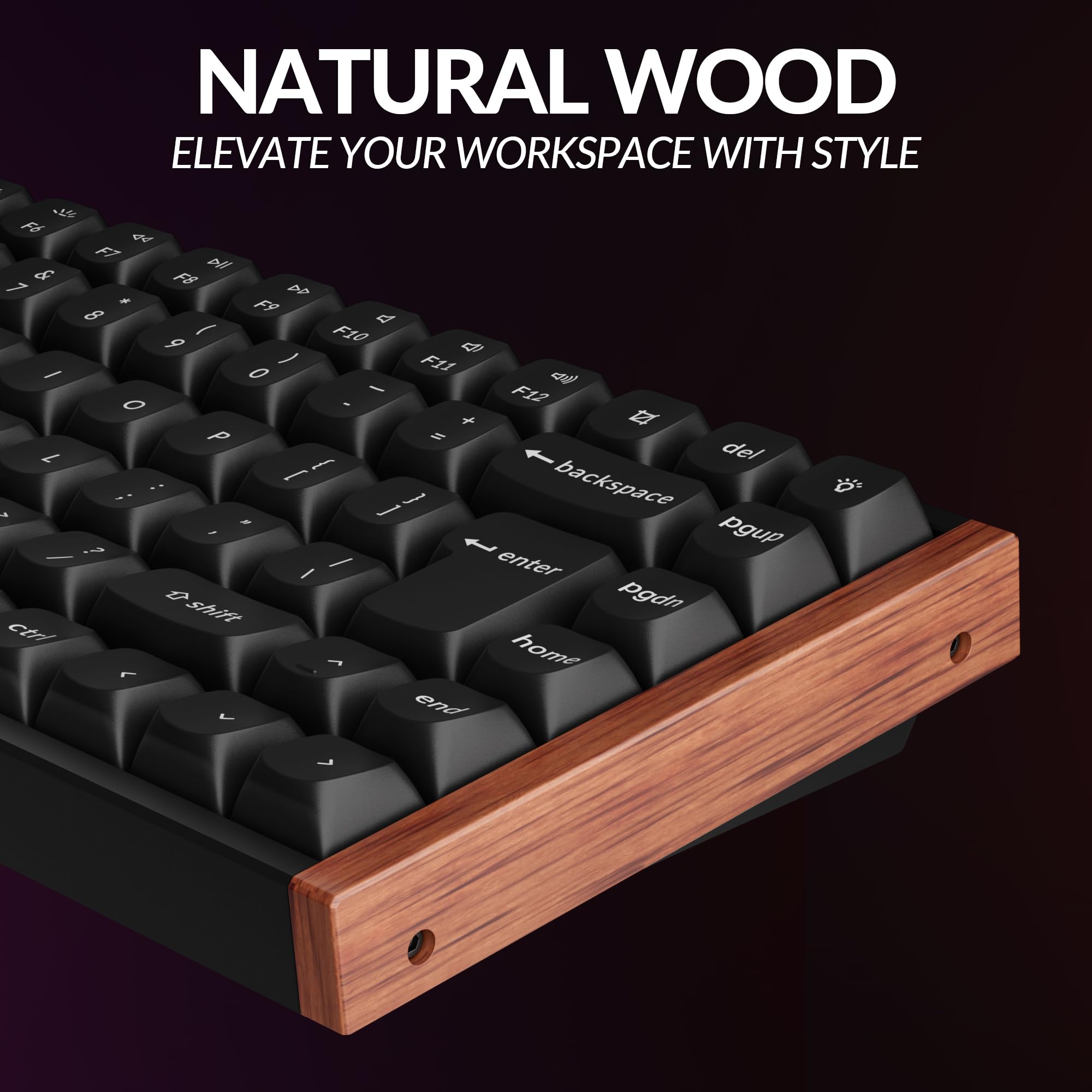
We think this is the appealingly practical version of a magnetic keyboard. It can sit in a Mac, Windows, or Linux setup without making the desk look as though a gaming tournament has broken out beside the tax return. The Special Edition’s aluminium-and-wood construction also gives the category a welcome dose of grown-up furniture energy, though the RGB backlighting remains available for anyone whose evening admin deserves a light show.
The catch is refreshingly specific. The K2 HE is hot-swappable only with compatible Gateron double-rail magnetic switches, and explicitly does not support Gateron Magnetic Jade or KS-20 magnetic switches. This is not a universal parts bin; it is a carefully managed little kingdom. Buyers who want its particular mix of adaptable typing, gaming-oriented controls, and sensible connectivity may find that entirely fair.
The Irresistible
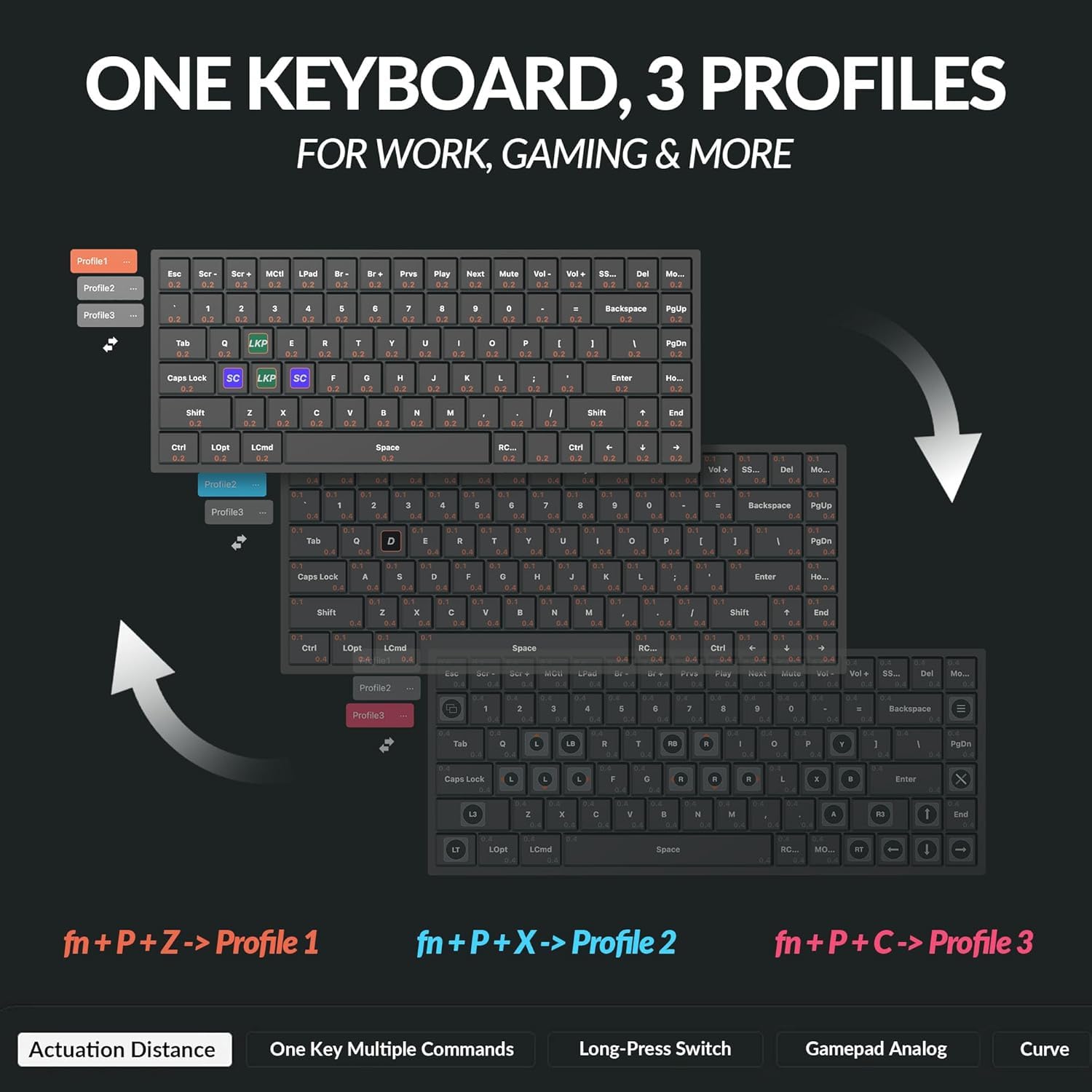
- Magnetic switches offer adjustable actuation from 0.2 to 3.8 mm, with 0.1 mm sensitivity, so the keyboard can be configured far beyond the usual one-switch-fits-all arrangement.
- Rapid Trigger and four-in-one Dynamic Keystrokes bring advanced input controls to a 75% board that can still make sense on a work desk.
- The Special Edition combines an aluminium-and-wood body with an aluminium plate, OSA double-shot non-shine-through keycaps, and screw-in PCB stabilizers; a notably considered materials list for something mainly employed to answer emails.
The Clever Part
- Three connection routes—2.4 GHz, Bluetooth 5.2, and USB-C—make it easier to share one keyboard across a desktop, laptop, or tablet-shaped distraction.
- Bluetooth supports up to three connected devices, while wired and 2.4 GHz modes support a 1000 Hz polling rate.
- A 4000 mAh rechargeable lithium-polymer battery is rated for up to 110 hours of wireless use with backlighting off, although Keychron notes that laboratory results can vary in actual use.
- North-facing RGB lighting includes more than 22 configurable backlight modes through the Keychron Launcher web app.
The Fine Print
- The stated 110-hour wireless figure applies with the backlighting off, so the person treating RGB as a lifestyle may see a different result.
- At approximately 965 g for the Special Edition, this is a keyboard built to occupy a desk, not disappear unnoticed into an already overstuffed bag.
The Reality Check
- Switch swapping is restricted to compatible Gateron double-rail magnetic switches; Gateron Magnetic Jade and KS-20 magnetic switches are not supported. That is a hard no for anyone planning a wide-open magnetic-switch experiment.
Buyer questions answered
Does the Keychron K2 HE have Hall Effect magnetic switches?
Yes. The Keychron K2 HE uses Gateron double-rail magnetic switches with adjustable actuation control, giving every key the sort of configurable ambition normally reserved for spreadsheets.
Does the Keychron K2 HE support Rapid Trigger?
Yes. The K2 HE supports Rapid Trigger as well as four-in-one Dynamic Keystrokes, with actuation adjustable from 0.2 to 3.8 mm in 0.1 mm increments.
Is the Keychron K2 HE compatible with Mac, Windows, and Linux?
Yes. The K2 HE supports macOS, Windows, and Linux, and the fully assembled version includes Mac and Windows keycaps.
Does the Keychron K2 HE support QMK and VIA?
Yes. The supplied listing identifies the K2 HE as supporting QMK and VIA, for anyone unwilling to accept that a keyboard should remain emotionally uncomplicated.
Does the Keychron K2 HE connect through 2.4 GHz, Bluetooth, and USB-C?
Yes. It supports 2.4 GHz wireless, Bluetooth 5.2, and USB-C wired connectivity; Bluetooth can connect with up to three devices, while wired and 2.4 GHz modes support 1000 Hz polling.
Is the Keychron K2 HE available with a UK layout?
Yes. The supplied UK listing is identified as a UK-layout version of the Keychron K2 HE.

Furbo 360° Cat Camera
The Furbo 360° Cat Camera is a rotating cat camera with a treat tosser, feather wand, two-way audio, meow alerts and night vision. Its 270-degree physical rotation creates a 360-degree wide-angle view: a tiny surveillance tower for the household’s least cooperative roommate.
Editorial rating
3.5 / 5
At a glance
One-line verdict
This rotating cat camera makes treat-tossing and cat check-ins gloriously elaborate, provided a paid subscription does not make your whiskered CFO hiss.
Best for
Cat people who want a camera with treat-tossing theatre and can give it a high, router-friendly spot.
Skip it if
Skip it if a required paid subscription or finding a 90–130 cm-high placement near Wi-Fi will sour the whole cat-cam idea.
The full picture
A cat left alone for an afternoon may sleep peacefully, stare at a wall with troubling intensity, or rearrange the social order by pushing a glass toward the edge of a table. The Furbo 360° Cat Camera is built for people who would like a little more visibility—and who see no reason that visibility should exclude airborne snacks.
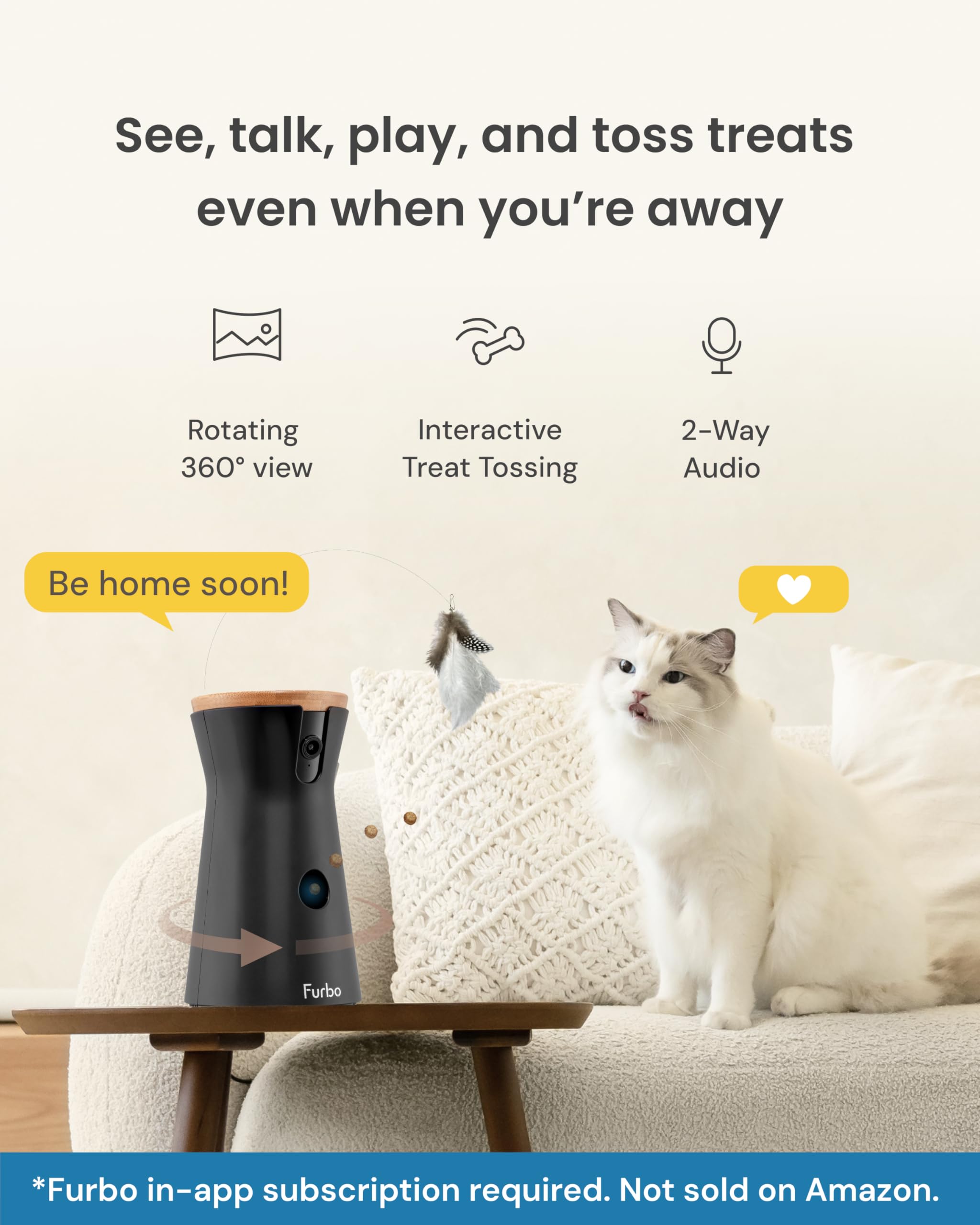
This is a camera with a treat tosser, feather wand, two-way audio, meow alerts and night vision in the supplied listing. Its hardware rotates through 270 degrees to produce a 360-degree wide-angle view, at approximately 17 degrees per second. We think that combination makes a useful secondary pick for the distinctly modern home concern of being away from the cat but still deeply involved in its agenda.
There is, of course, some domestic admin before the cat becomes a tiny remote-work colleague. Furbo specifies a position roughly 90–130 cm above the floor for maximum coverage and rotation, within 4.5 m of the Wi-Fi router. It also needs USB power at 5 V, 2 A and at least 10 W. This is not a gadget to abandon behind a plant and hope for cinematic results.
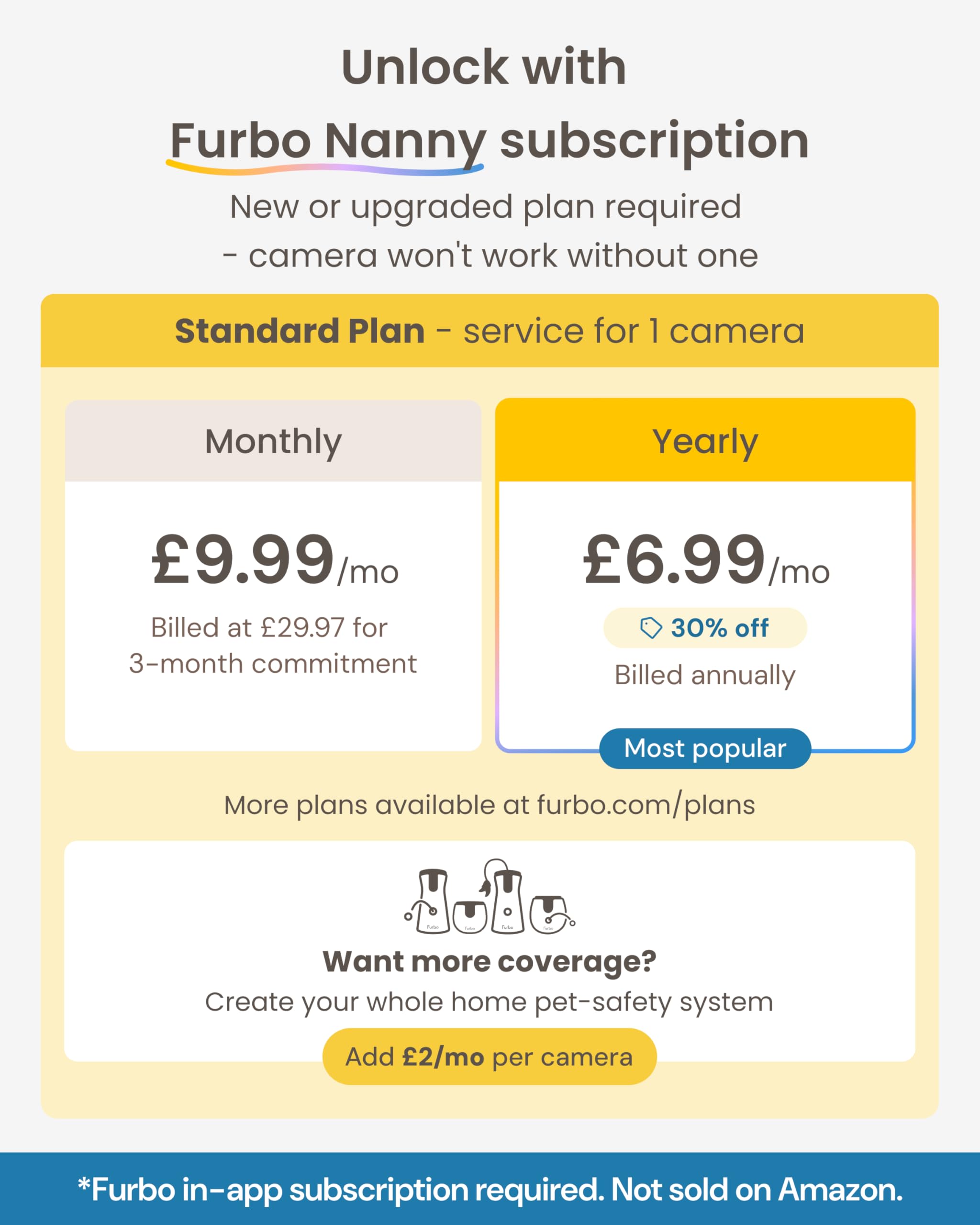
The main reality check arrives before any treat flies: the supplied listing says a paid subscription is required, with a three-month minimum commitment to unlock it. That makes the Furbo 360° Cat Camera worth considering only when its mix of rotating view and cat-oriented extras matters more than owning a device with fewer ongoing strings attached.
The Irresistible
- Its 270-degree physical rotation is specified to create a 360-degree wide-angle view, giving the camera a more ambitious brief than simply staring at one patch of carpet.
- A treat tosser and feather wand turn a cat camera into an oddly specific remote ritual, which is exactly the sort of unnecessary cleverness we enjoy when it has a point.
The Clever Part
- The supplied listing includes two-way audio, meow alerts and night vision alongside the phone app.
- Automatic calibration begins about 40 seconds after connection and takes approximately 15 seconds, so setup includes a defined little robot preamble rather than interpretive dance.
- Recommended treats are dry and firm, around 0.7–1.2 cm, which gives the tosser a clear snack brief.
The Fine Print
- Placement matters: Furbo recommends roughly 90–130 cm above the ground and within 4.5 m of the Wi-Fi router for maximum coverage and rotation.
- It requires a USB power source rated at 5 V, 2 A and at least 10 W, so power planning is part of the furniture arrangement.
The Reality Check
- The supplied listing states that a paid subscription is required, with a three-month minimum commitment to unlock the camera; that ongoing requirement is a deal-breaker for buyers who want a self-contained pet camera.
Buyer questions answered
Does the Furbo 360° Cat Camera require a subscription?
Yes, the Furbo 360° Cat Camera requires a paid subscription, and the listing states a three-month minimum commitment to unlock it. Check the plan terms before buying if recurring costs are a deal-breaker.
How does the Furbo 360° Cat Camera create its 360-degree view?
It uses a 270-degree physical rotation range to create a 360-degree wide-angle view, rotating at approximately 17 degrees per second. The little surveillance tower does the looking around for you.
What treats work with the Furbo 360° Cat Camera’s treat tosser?
Furbo recommends dry, firm treats measuring approximately 0.3–0.5 inches (0.7–1.2 centimetres). Treat sizing is, naturally, part of the cat-camera engineering brief.
Where should the Furbo 360° Cat Camera be placed?
Place it approximately 90–130 centimetres above the ground and within 4.5 metres of the Wi-Fi router. This placement supports the stated 360-degree rotation and keeps the camera router-friendly.
What power source does the Furbo 360° Cat Camera require?
It requires a USB power source providing 5 volts, 2 amperes and at least 10 watts. Confirm that the intended USB adapter meets all three requirements before setting up the cat’s new lookout post.
Enabot EBO Air 2 FamilyBot Mobile Home Camera
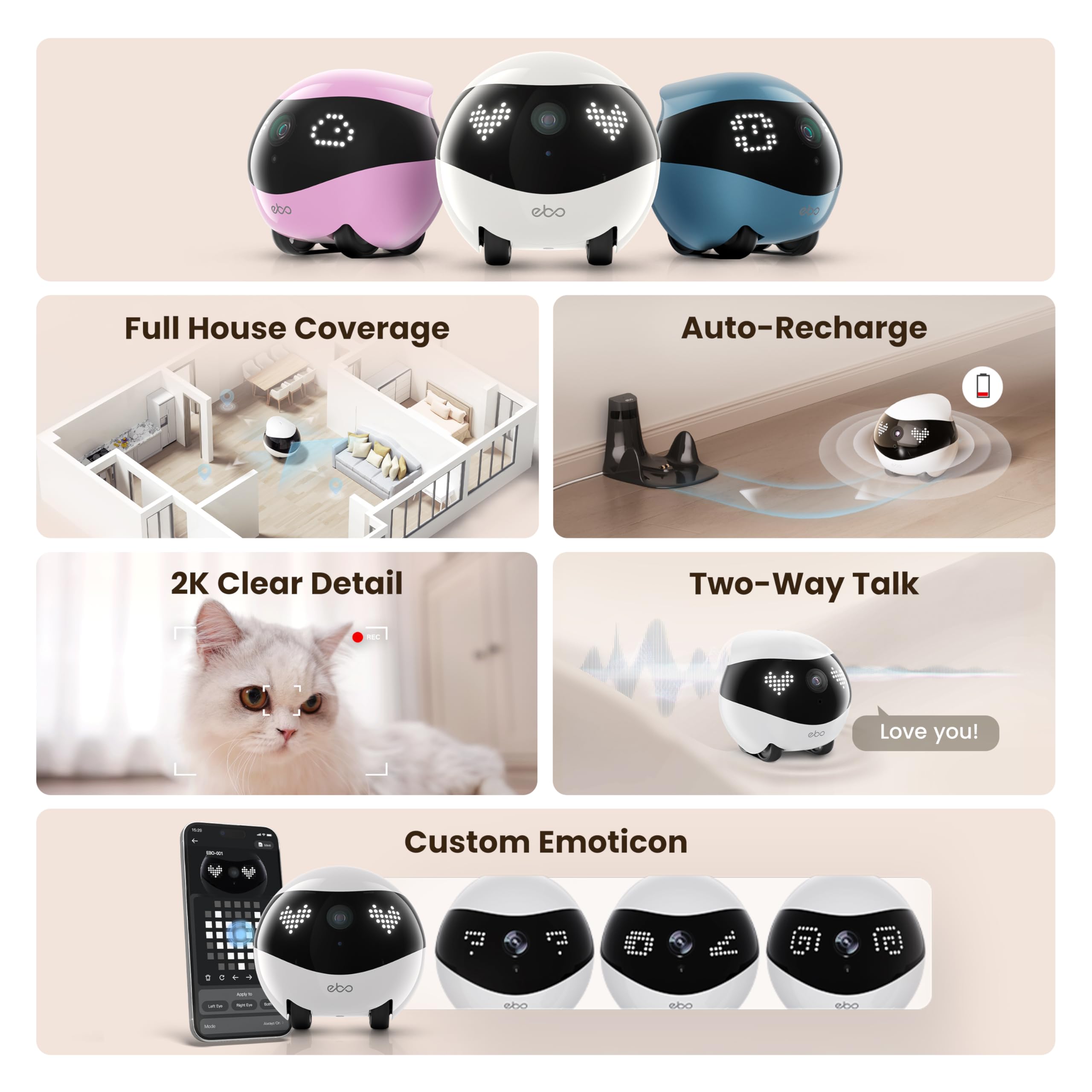
The Enabot EBO Air 2 FamilyBot is a mobile indoor camera with 2K recording, a 137° viewing angle, two-way talk, night vision, and auto-recharge. It also includes a pre-installed 32 GB SD card—because apparently even household surveillance now arrives with its own tiny filing cabinet.
Editorial rating
3.5 / 5
At a glance
One-line verdict
This mobile home camera is a delightful little domestic spy with 2K video and chat, provided your floors are not an obstacle course of thresholds and rugs.
Best for
People who want a moveable indoor camera for checking on pets or rooms in a relatively level home, with local storage included from the start.
Skip it if
Skip it if your home is full of raised thresholds, steep transitions, or a need for uninterrupted all-day monitoring—this tiny patrol has physical limits and a stated 4–7 hour battery life.
The full picture
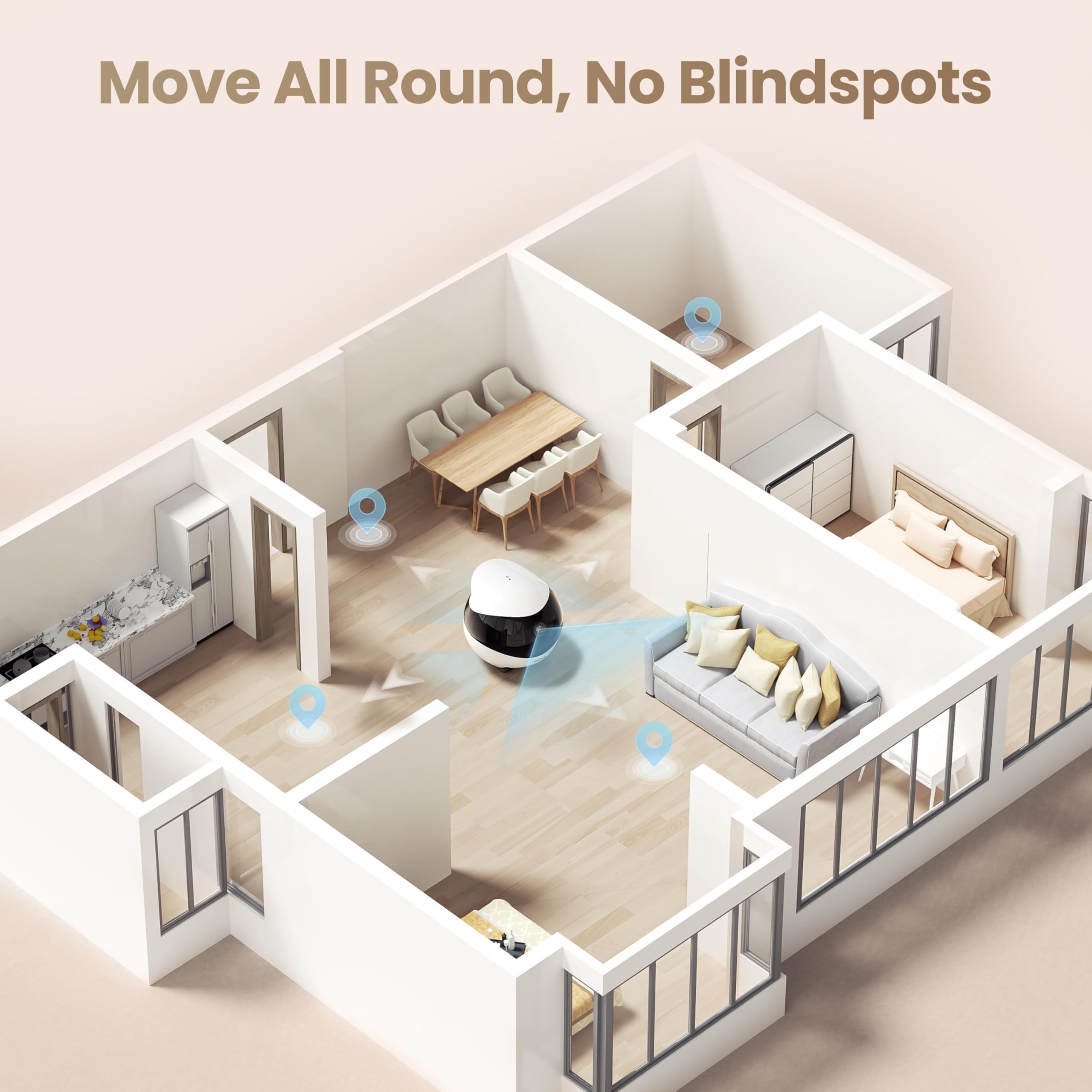
Most indoor cameras pick a wall, stare at one patch of domestic life, and quietly judge the laundry chair. The Enabot EBO Air 2 FamilyBot takes the more entertaining route: it is a compact mobile home camera intended to move through the house, recording in 2K and letting you speak through it. For pet check-ins, that is either clever reassurance or the beginning of a very strange conversation with a cat.
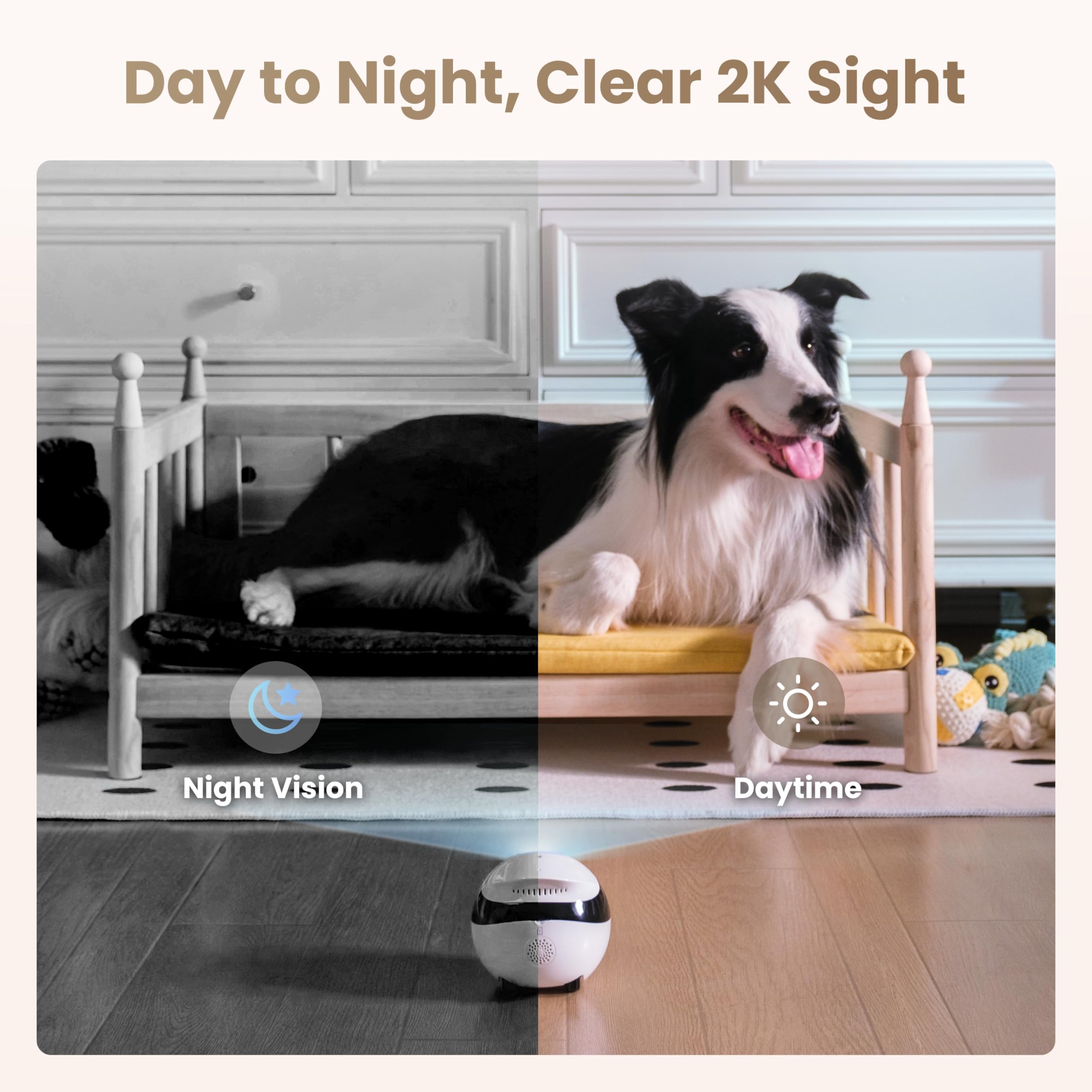
We think this earns its place because it tackles a distinctly modern nuisance: the camera points at the wrong bit of the room precisely when something interesting happens elsewhere. Its 137° camera angle, night vision, two-way talk, and included local storage give the idea practical bones rather than leaving it as a novelty with a charging cable.
There is sensible restraint beneath the googly-eyed premise. The EBO Air 2 supports both 2.4 GHz and 5 GHz Wi-Fi, records JPG and MP4 files, and arrives with a 32 GB SD card already installed. That removes at least one setup ritual from the usual smart-home ceremony, where the first hour is spent locating a pin and questioning one’s life choices.
Still, this is a small robot with a stated ability to cross obstacles only up to 6 mm high and slopes up to 4°. In a level condo or a tidy main floor, that may be entirely reasonable. In a house built around raised thresholds, chunky rugs, and cables breeding under furniture, its route planning may become less “family bot” and more “tiny bureaucrat denied access.”
The Irresistible
- A mobile indoor camera is far more interesting than another fixed lens pointed at the same sofa corner; the EBO Air 2 can move at a stated 20–55 cm/s.
- Its 2K 2304 × 1296 recording and 137° camera angle give the roaming-camera idea enough visual coverage to be more than a gimmick.
- The box includes a 32 GB SD card, pre-installed at the factory, plus a charging dock, cable, manual, and pin—an unusually complete start to a gadget relationship.
The Clever Part
- Two-way talk and night vision make it useful for checking on a pet or room beyond bright daytime conditions.
- Support for both 2.4 GHz and 5 GHz Wi-Fi is welcome in homes where the router has already become a minor household tyrant.
- It supports JPG and MP4 files and memory expansion up to 256 GB, so the included card is not the whole storage story.
- At 95 × 95 × 89.2 mm and 282 g, it is a compact bit of domestic tech rather than a large appliance demanding a dedicated corner.
The Fine Print
- The stated 4–7 hour battery life and 2–3 hour charging time mean it needs breaks; it is designed for check-ins, not constant roaming coverage.
- Its stated operating noise level is 61 dB, which may matter in homes where a cautious pet regards every unfamiliar sound as a constitutional crisis.
The Reality Check
- It can cross obstacles only up to 6 mm high and climb slopes up to 4°, so raised thresholds, cable runs, and uneven flooring can sharply limit where it can go.
Buyer questions answered
Is the Enabot EBO Air 2 FamilyBot a 2K pet camera?
Yes. The EBO Air 2 records at 2K resolution, specified as 2304 × 1296 pixels, and its listing identifies it as a pet camera and movable indoor camera.
Does the Enabot EBO Air 2 FamilyBot move around the home?
Yes. The EBO Air 2 has a stated movement speed range of 20–55 cm/s, can cross obstacles up to 6 mm high, and can climb slopes up to 4°. Tiny floor transitions may therefore become its unexpectedly stern bouncer.
Does the EBO Air 2 FamilyBot return to its charger automatically?
Yes. The listing states that it has auto-recharge, and the package includes a charging dock and charging cable.
Does the Enabot EBO Air 2 have two-way talk and night vision?
Yes. The validated listing identifies both two-way talk and night vision as features of the EBO Air 2 FamilyBot.
Does the EBO Air 2 FamilyBot include a memory card?
Yes. The package includes a 32 GB SD card, and Enabot states that it is pre-inserted at the factory. The camera also supports memory expansion up to 256 GB.
How long does the Enabot EBO Air 2 battery last and take to charge?
The stated battery life is 4–7 hours, and the stated charging time is 2–3 hours. That makes it a roaming check-in device, not a tireless live-in butler.