
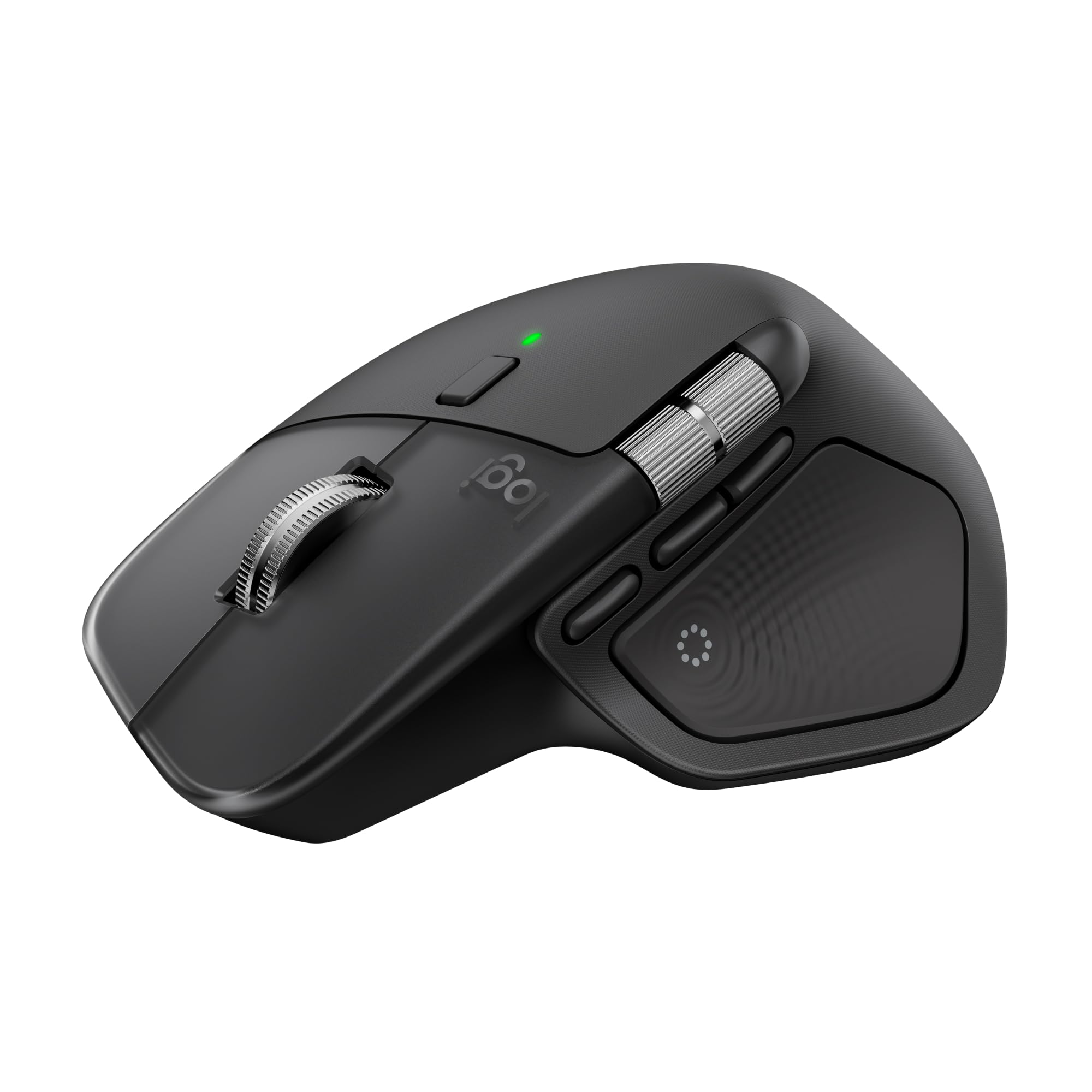
Logitech MX Master 4 Wireless Mouse
£106
|The Logitech MX Master 4 is an ergonomic wireless mouse with a Haptic Sense Panel, ultra-fast scrolling, USB-C charging and connections for up to three computers. It is aimed squarely at the person whose desk has become a small IT department with receipts underneath it.
Prices correct as of: 22/08/2026 09:47
StuffYouMayWant is an editorial curation site. We may earn from qualifying purchases via affiliate links, at no extra cost to you.
At a glance
One-line verdict
A feature-rich wireless mouse for multi-device desk wrangling, provided a Graphite ergonomic design suits both your hand and your décor.
Best for
People moving between up to three Windows or macOS computers who want one ergonomic mouse and fewer little connection rituals.
Skip it if
Skip it if you only use one computer and regard extra controls as the beginning of a tiny, unnecessary cockpit.
The full picture
A mouse is one of those items we all tolerate for years while quietly developing strange compensatory habits: excessive trackpad pinching, a desk drawer full of cables, or the ceremonial unplugging of one machine before touching another. The Logitech MX Master 4 is built for the more complicated version of desk life, where a work computer, personal computer and perhaps a third machine have all somehow become normal.
Its useful trick is Easy-Switch pairing for up to three computers. That is a rather niche sentence until you are moving between systems and performing the familiar little Bluetooth dance that makes you briefly question whether civilisation was a mistake. The MX Master 4 also has back and forward buttons, ultra-fast scrolling and a Haptic Sense Panel, which is a fairly committed amount of mouse for somebody merely opening spreadsheets.
We think it earns a place as the practical, fully loaded option in a desk setup rather than a generic accessory bought in a rush after the old one begins double-clicking through sheer resentment. USB-C charging keeps it aligned with the cable already loitering around most modern desks, and three minutes of charging can provide a full day of use.
There is one important note of restraint: the selected UK listing is Graphite, and this is explicitly an ergonomic mouse. That makes it a considered bit of kit for the right setup, not an automatic upgrade for everyone with a laptop and a vague dislike of their current pointer.
The Irresistible
- Easy-Switch pairing supports up to three computers, which tackles multi-machine desk clutter at its source rather than adding another dongle-shaped apology.
- A minimum three-minute charge provides enough power for a full day of use, via the built-in USB-C port.
- The Haptic Sense Panel and ultra-fast scrolling give this mouse a notably feature-heavy brief for people who spend their days navigating rather than merely clicking.
The Clever Part
- Back and forward buttons put routine browser and file navigation where it belongs: on the mouse, not in a keyboard shortcut you will forget under pressure.
- The selected UK listing specifies Bluetooth connectivity and compatibility with Windows and macOS.
- The box includes the MX Master 4, a USB-C dongle and user documentation, so the essentials are accounted for without a scavenger hunt.
The Fine Print
- The selected UK listing is the Graphite variant, so colour-conscious desk arrangers should check the chosen variant rather than assuming a palette of tasteful options.
The Reality Check
- Its ergonomic, feature-dense design is best justified by a genuinely multi-computer routine; a one-device setup may not need this much mouse.
Buyer questions answered
Is the Logitech MX Master 4 ergonomic?
Yes. The selected UK listing describes the Logitech MX Master 4 as an ergonomic wireless mouse.
Does the Logitech MX Master 4 have haptic feedback?
Yes. It includes a Haptic Sense Panel, and the selected UK listing specifies haptic feedback.
Does the Logitech MX Master 4 support ultra-fast scrolling?
Yes. The selected UK listing specifies ultra-fast scrolling, for anyone who considers a long document a personal insult.
How does the Logitech MX Master 4 charge?
It charges through a USB-C charging port. A minimum of three minutes of charging provides enough power for a full day of use.
Is the Logitech MX Master 4 compatible with Windows and macOS?
Yes. The selected UK listing states compatibility with Windows and macOS.
Does the Logitech MX Master 4 connect via Bluetooth?
Yes. The selected UK listing includes Bluetooth connectivity; it can also be paired with up to three computers using Easy-Switch.
Inside this drop
More from Vol. 01

Ooni Karu 12 Multi-Fuel Pizza Oven
The Ooni Karu 12 is a 12-inch outdoor pizza oven that runs on wood or charcoal, with gas available through a separately sold burner. It reaches a stated 500°C and cooks pizza in as little as 60 seconds: dinner, reduced to a brisk negotiation with fire.
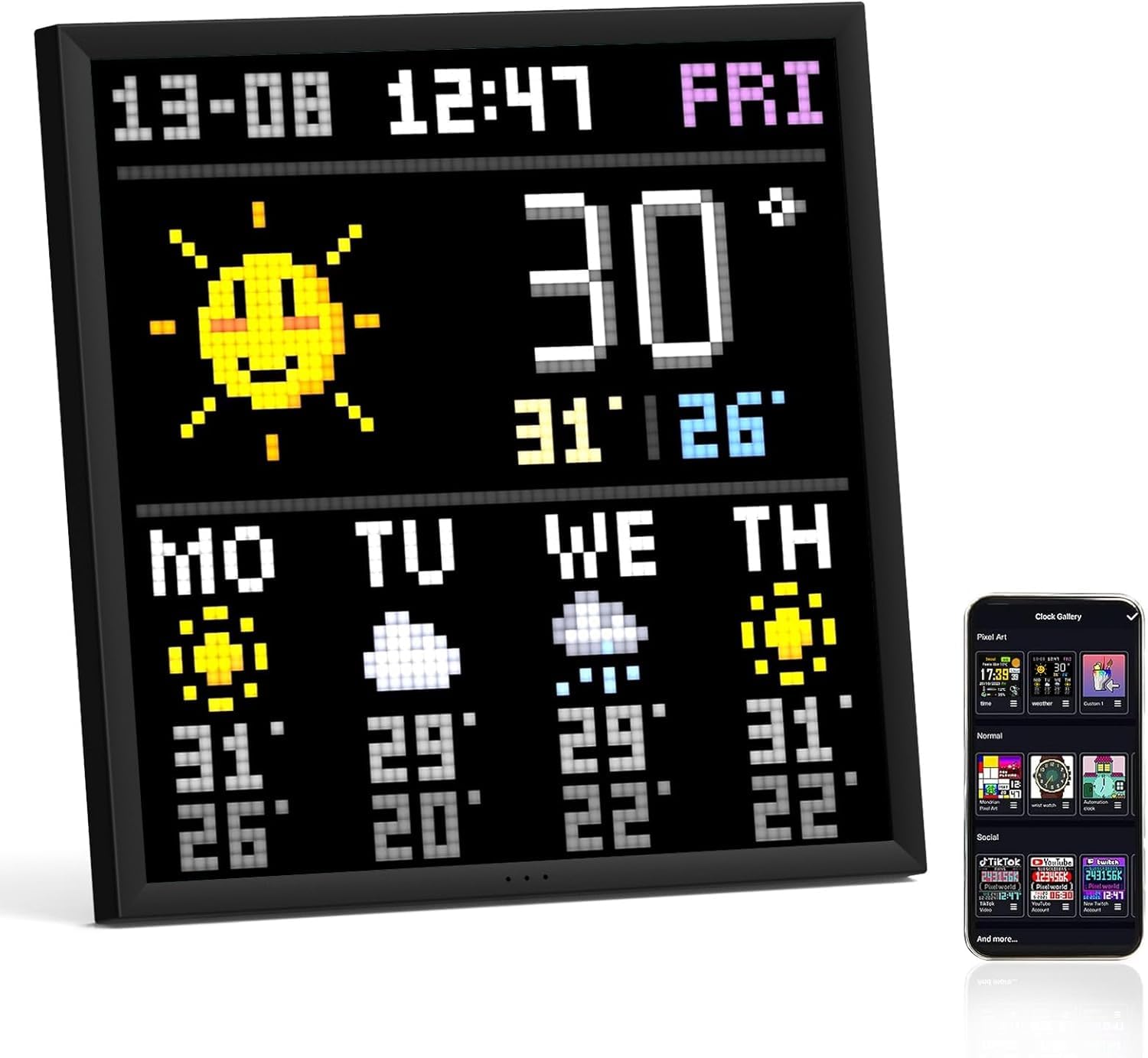
Divoom Pixoo-64 Pixel Art Display
The Divoom Pixoo-64 is a whimsical 10.3-inch WiFi pixel art display boasting a 64x64 LED panel. It's an odd yet delightful canvas for digital artistry, perfect for spicing up your decor or keeping your social media followers entertained.

Owala FreeSip Water Bottle
The Owala FreeSip Water Bottle features an insulated stainless steel design, keeping drinks cold while providing a convenient straw for sipping on the go. It’s ideal for anyone juggling a busy life and hydration—all without sacrificing style with its trendy colours.
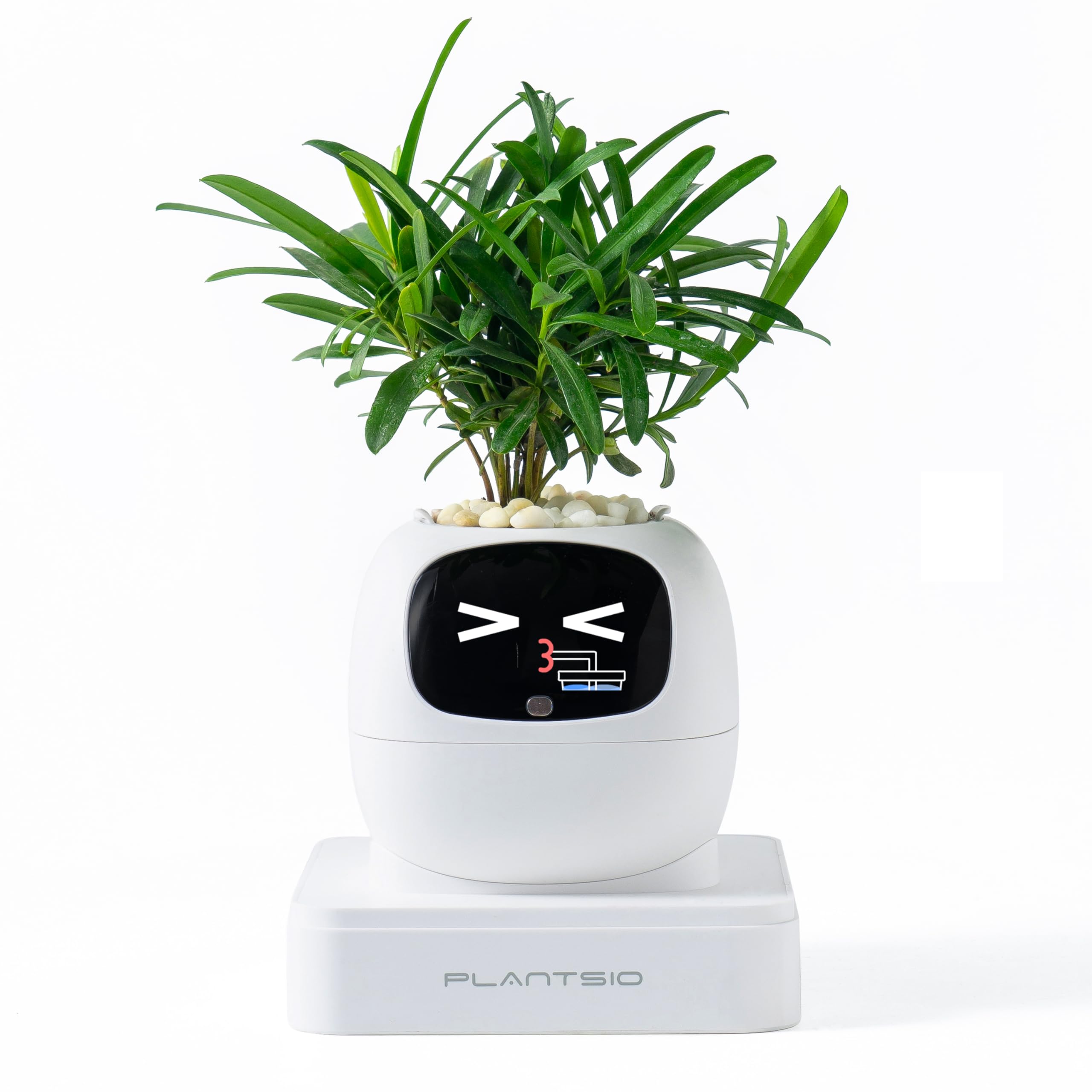
PLANTSIO Smart Pet Planter
The PLANTSIO Smart Pet Planter is a plant companion with emoji-based care guidance and gesture interaction. It turns the ancient household ritual of wondering whether a plant looks “a bit sad” into a tiny desk character with opinions, apparently.
Keep browsing
More Workspace finds you may want

BenQ ScreenBar Halo 2 Monitor Light Bar
The BenQ ScreenBar Halo 2 is a USB-powered LED monitor light bar with adjustable brightness and colour temperature, a wireless controller and a rear backlight. It aims light at the desk rather than donating yet another lamp to the great cluttered-flat crisis.

SIHOO Doro S300 Ergonomic Office Chair
The SIHOO Doro S300 is an ergonomic office chair with dual dynamic lumbar pads, 6D armrests, a telescopic backrest and a three-position anti-gravity recline. It is a notably elaborate answer to the ancient office problem of arranging a chair around a human rather than asking the human to become a comma.

Novium Hoverpen Interstellar Edition Ballpoint Pen
The Novium Hoverpen Interstellar Edition is an aluminium ballpoint pen that levitates at a 23.5-degree angle above its zinc-alloy pedestal using magnets, not electricity. It writes with standard D1 refills, but its real job is making an ordinary desk look faintly suspicious of having a launch sequence.

Keychron K2 HE Wireless Keyboard
The Keychron K2 HE Wireless is a 75% keyboard with adjustable magnetic switches, Rapid Trigger and three connection options. This Special Edition ISO UK version adds an aluminium-and-wood body and UK layout, for anyone who considers a keyboard an acceptable excuse for more desk furniture.